What’s new – 2026.2.136
Published: April 8, 2026
Welcome to the April 2026 update for Point! This release brings four updates across storage cost reduction, risky workspace resolution, workspace review accountability, and license optimization.
Not a customer? Try Syskit Point for free.
View the detailsFile-level archive
SharePoint storage costs are growing, but most IT teams have no scalable, governed way to reduce them. Stale files accumulate, degrading AI and search quality; version history quietly multiplies the problem; and there’s no governance layer on top of Microsoft’s native archive tools to help you act with confidence.
Microsoft 365 File Archive entered public preview on March 31st, and Point is ready on day one. While M365 Archive provides the underlying infrastructure, Point adds the governance layer on top to reduce SharePoint storage costs and clean up the data for AI.
How it works
Admins can now manually archive inactive SharePoint files to cold storage directly from the Storage Metrics report.
Point becomes the governance layer on top of M365 Archive, handling the full file lifecycle: archive, restore, delete — in one place.
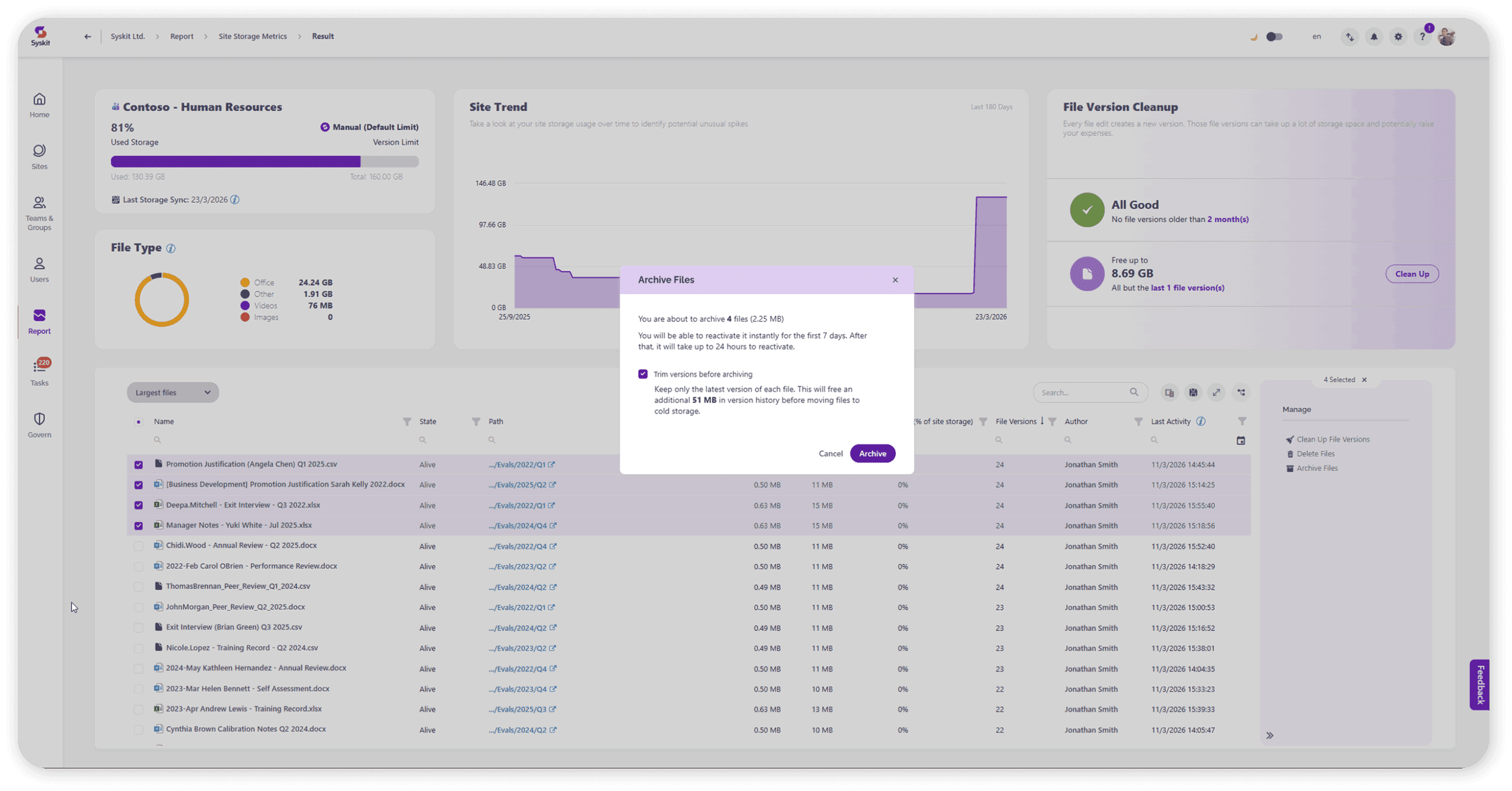
- Identify what’s genuinely inactive — Point filters by last accessed, not just last modified, so admins can spot cold content across the tenant and bulk archive with confidence.
- Trim versions before archiving — Admins can trim old versions before archiving, compounding the savings. Files can have hundreds of versions — the biggest hidden cost multiplier.
- Maintain compliance throughout — Retention and sensitivity labels are preserved during archival. End users can perform self-serve restores without IT involvement.
Why it matters
- ~75% reduction in storage costs vs. active SharePoint storage pricing, with additional savings from version trimming.
- Improved AI accuracy: Removing inactive content from active storage surfaces cleaner data for the AI. Copilot is only as good as the content it indexes. Archiving inactive files keeps the retrieval pool up to date, reducing noise in AI responses.
- ROI visibility for leadership: Tenant-level and site-level reporting lets admins prove the value of governance with hard numbers.
- No compliance risk: Retention and sensitivity labels are maintained during archival.
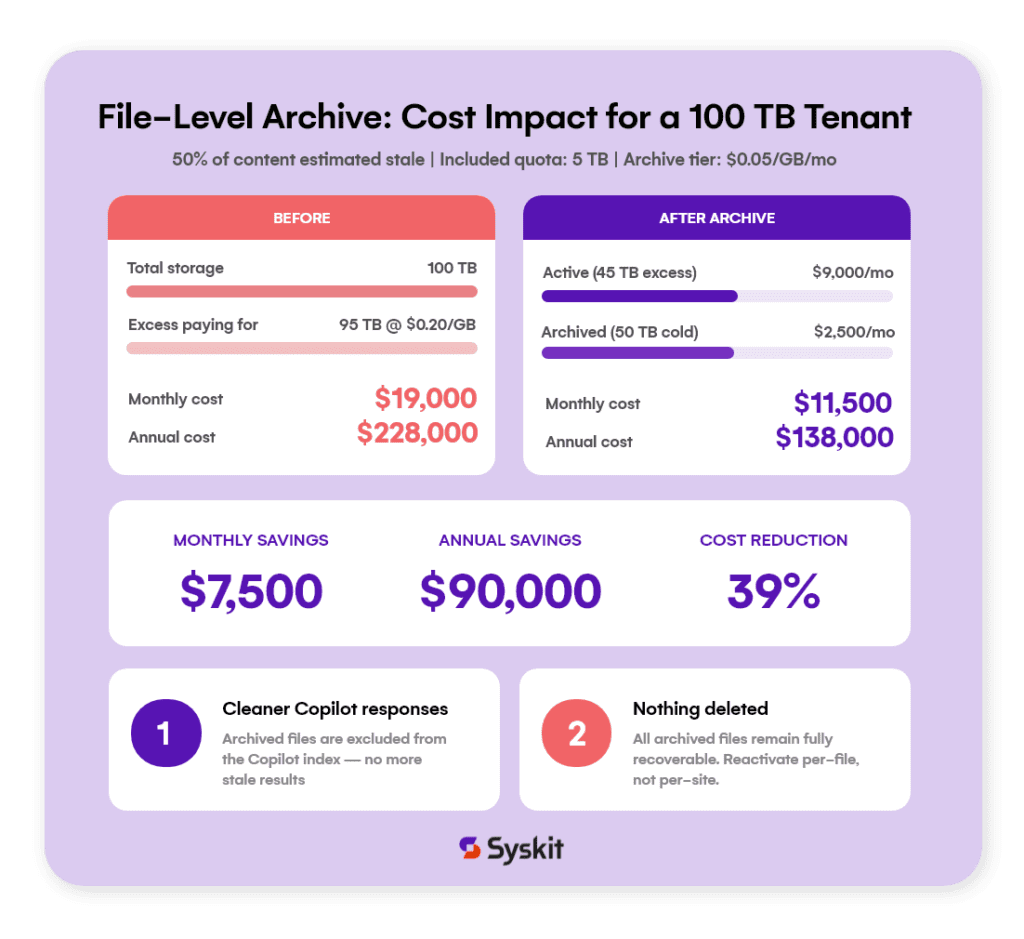
To learn what file-level archive means for your storage cost, check out our Microsoft 365 file-level archive blog.
Risky workspaces update: Guided resolution
Resolving risky workspaces just got easier and more actionable. No more jumping between reports or lacking context. You can now identify, understand, and resolve risks in one place, and delegate actions to workspace owners who know the content best.
Reduce investigation time, speed up remediation, and minimize admin effort.
How it works
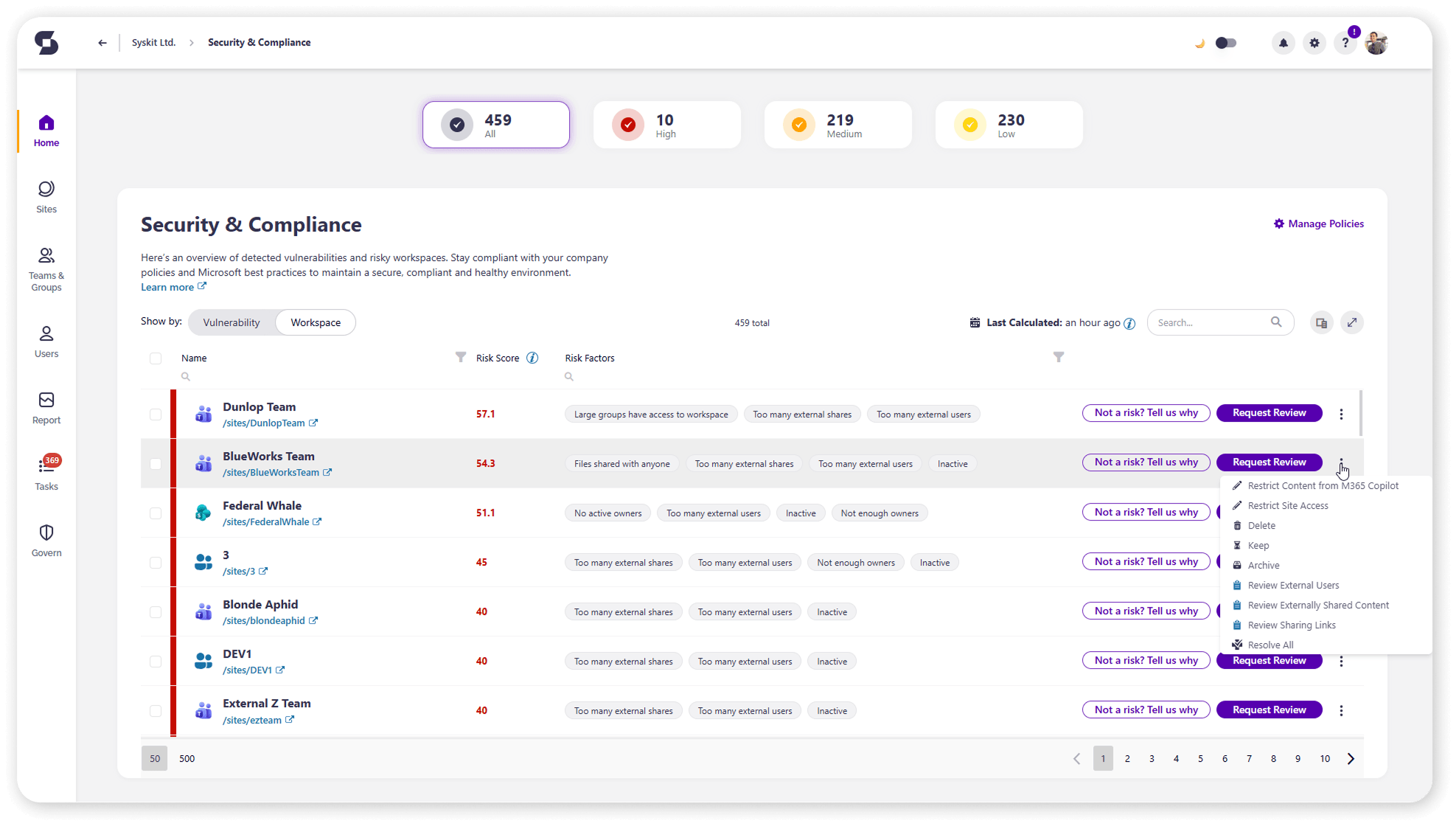
A guided resolving wizard is now available directly from the Risky Workspaces report. Admins can resolve risks themselves, or workspace owners can be brought directly into the resolution process, reducing the dependency on central IT.
Admins can choose that something is “Not a risk“ and tell us why, “Request review from workspace owners“, or click “Resolve all“ in the dropdown. It walks admins step by step through resolving all flagged risks in a workspace — following the same familiar flow as Workspace Review.
Why it matters
- Easier risk reduction: Fewer external and anonymous links, clearer ownership, fewer publicly exposed files.
- Workspace owner empowerment: Faster remediation without admin dependency.
- Fewer manual checks: Guided resolution replaces ad hoc investigation across multiple reports.
Workspace review: Custom escalations
Workspace Review tasks are easy to ignore. Without real consequences for not completing Workspace Review tasks on time, workspace owners often ignore them. Low completion rates, unresolved security risks, and governance debt quietly accumulate, leaving admins to manually chase owners and making it harder to demonstrate governance value to leadership.
From now on, send custom escalations and get workspace owners to complete governance tasks. Less chasing, more accountability — without manual follow-up.
How it works
Admins can now configure multi-step escalation flows that trigger automatically when Workspace Review tasks aren’t completed on time. Available escalation options include:
- Adding the workspace owner’s manager to CC.
- Adding specific users or groups to CC.
- Sending additional overdue notifications.
- Automatically archiving the workspace.
- Automatically restricting access to content.
- Automatically restrict content from Microsoft 365 Copilot.
Escalation steps are built into existing reminder templates, and emails clearly communicate upcoming consequences so owners understand what’s at stake before taking action.
Why it matters
- Higher completion rates: Fewer risky or stale workspaces left unresolved.
- Reduced oversharing and data exposure: When owners complete reviews, they help reduce oversharing, which is critical as AI indexes and surfaces that content.
- Lower manual workload for admins: Less time chasing owners, more time on strategic work.
- Stronger audit posture: Measurable, automated remediation creates a clear governance record.
License optimization: Group-based licensing and room and equipment user exclusions
The License Optimization add-on just got better. Two highly requested updates make license management more powerful and accurate — removing licenses is still a single click regardless of how they’re assigned, even though groups and reports automatically exclude room and equipment, and better reflect the users who matter for real decision-making.
How it works
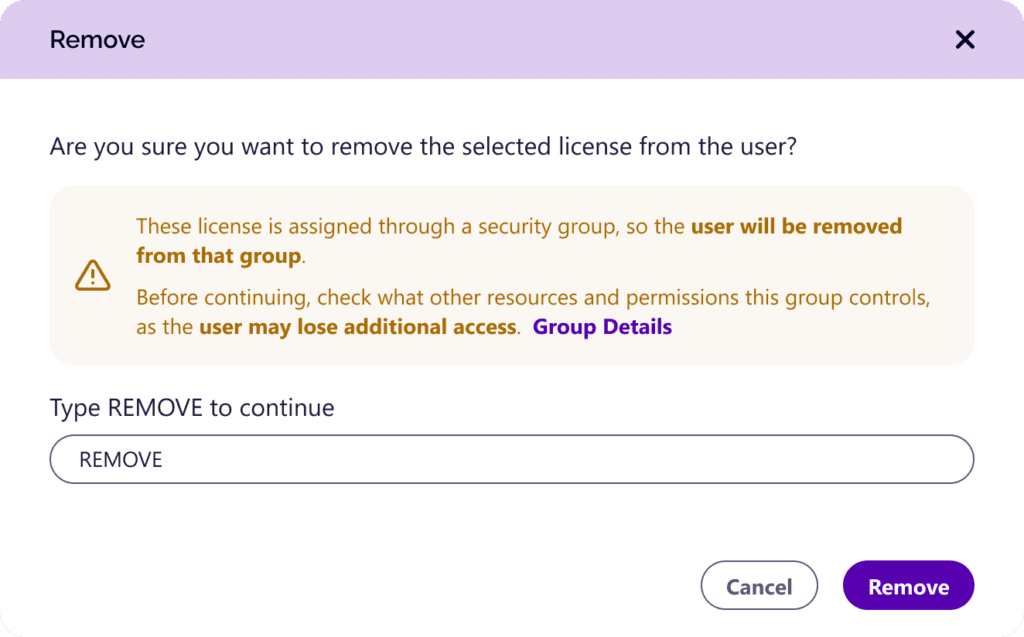
Admins can now remove unused licenses regardless of how they were assigned — directly, through a group, via local AD, or even through multiple assignment types at once. Point handles everything in the background, so there’s no need to check assignment details before taking action. Just click remove, and it’s done. Reports now also show assignment type and assignment groups for full visibility into how each license is assigned.
Room and equipment users are excluded from relevant reports, potential savings calculations, and policies by default — no setup needed. If needed, they can be included manually. A new “User type” column makes it clear whether someone is a person, a room, or equipment.
Why it matters
- Supports direct and group-based license assignment.
- One-click license removal regardless of assignment type — no need to know how licenses are assigned.
- More accurate reports give admins confidence to act on license insights, while reducing manual work by eliminating the need to deselect room and equipment accounts.