One place to govern everything with access to your M365
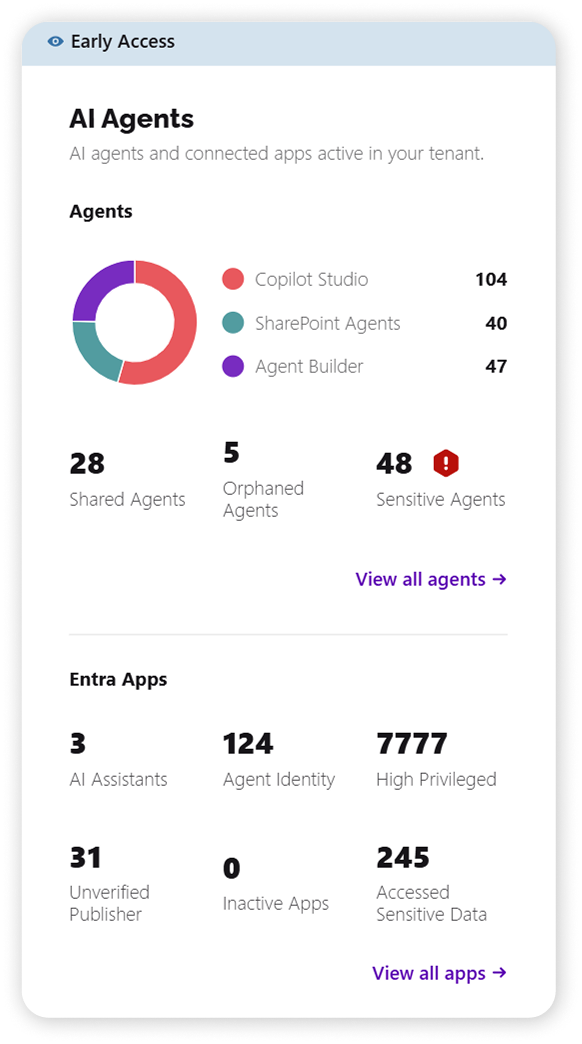
The new Agents & Apps Inventory gives IT admins the insights they need to govern AI adoption safely, connecting visibility of agents and external (non-Microsoft) apps to audit log intelligence to highlight anomalies. This way, you know what agents are really doing, not just that they exist. Governance is no longer just about who has access to what, but what has access to what.
Both features ship together as new reports available on the new dashboard tile.
Microsoft Agents Inventory: turn invisible sprawl into a prioritized list
Agents are multiplying across tenants faster than anyone can track them. Gartner predicts that by 2028, an average global enterprise will have over 150,000 agents in use, up from less than 15 in 2025. Managing agents must now become a core organizational competency.
Visibility today is limited: Agent 365 provides basic visibility for free, but to identify risk and focus on what matters most, you need additional Agent 365 licenses in addition to your existing licenses. Orphaned and inactive agents pile up without oversight, and there's no easy way to spot a real security issue (such as sensitive data an agent can access or expose) before it becomes an incident. You cannot govern what you cannot see. The first step in agent management is agent discovery and the inventory layer.
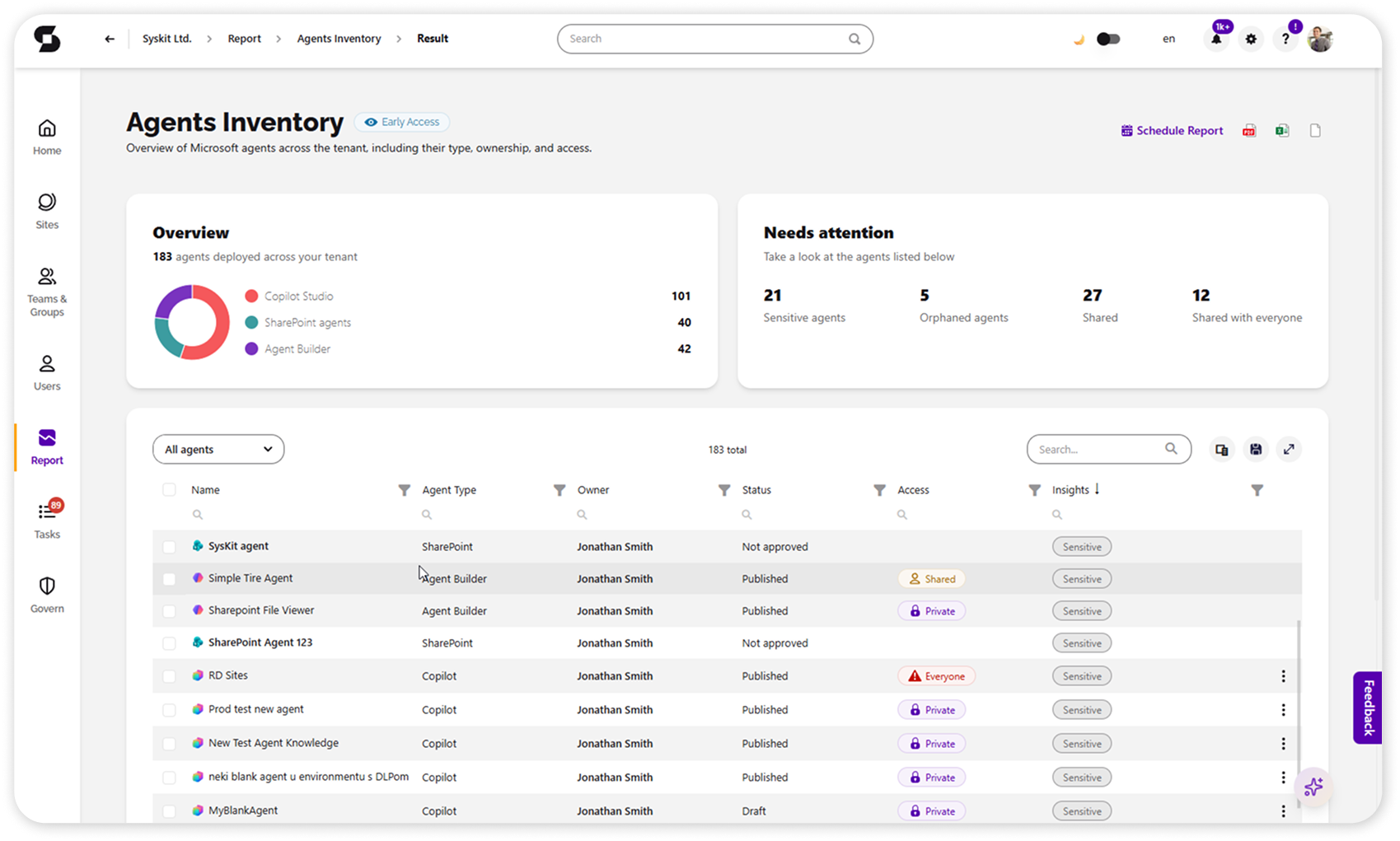
Point inventories Microsoft's agents that drive most of the sprawl (SharePoint, Copilot Studio, and Agent Builder) and surfaces the ones that need attention. You get an overview of each agent, its sharing options (Private / Shared / Shared with everyone), ownership, and key metrics for spotting sprawl, plus insights that flag the agents most likely to need a closer look. And it doesn't require an Agent 365 license.
With the new agent management actions (delete an agent, block it, or change and assign ownership) the inventory stops being just a view: the moment you spot an orphaned or risky agent, you can act on it right there, without exporting lists or switching to another admin center. See it and fix it, all inside Point.
Why it matters
-
See the true size of agent sprawl in your tenant, including how many agents exist, who's using them, and what they can access.
-
Catch orphaned and inactive agents before they become a risk, spotting those accumulating without oversight.
-
Act on problematic agents from a single place - delete, block, change, or reassign ownership - without switching tools.
Go beyond agents: get the full picture of what reaches M365 data
Agents built inside Microsoft are only part of the story. The bigger blind spot is external (non-Microsoft) AI assistants reaching into your M365 (such as ChatGPT, Claude, Gemini) and shadow AI agents connecting on unsanctioned platforms. Most teams have no consolidated view of any of it.
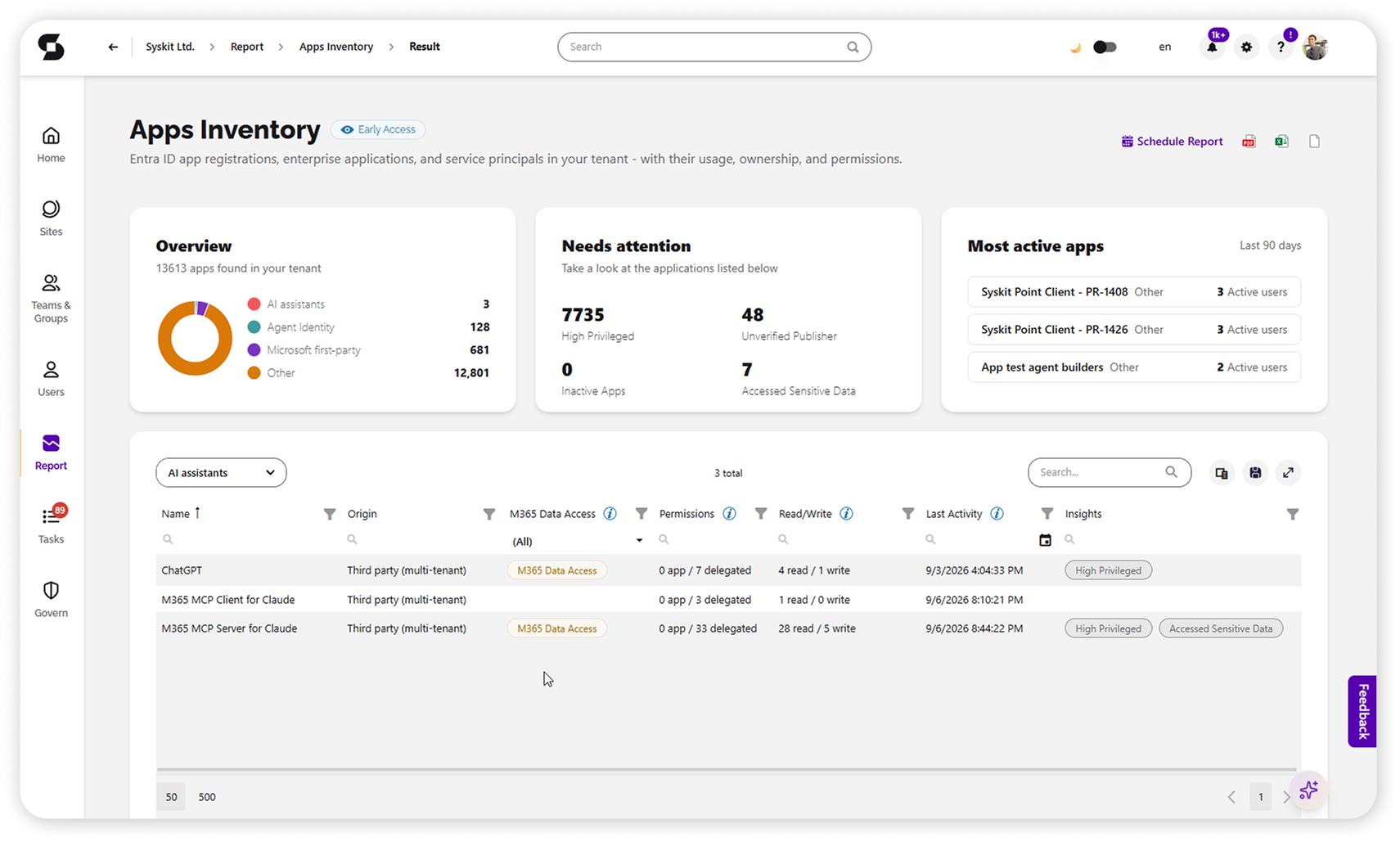
Point's Entra Apps Inventory surfaces external apps, so shadow AI touching your data stands out immediately instead of being buried in a raw list. Inventory categories include AI assistants, agent identities, and other enterprise apps.
In the noise, it highlights what needs attention - AI assistants, sensitive data exposure, inactive apps, and what are the highly privileged ones - expanding the basic agent inventory into a comprehensive view of everything reaching your tenant's data.
Block sign-in or remove enterprise apps like Claude directly from Syskit Point to reduce unwanted access to your Microsoft 365 environment.
Why it matters
-
Surface the third-party AI assistants reaching your M365 (ChatGPT, Claude, Gemini, and shadow AI on unsanctioned platforms), not just Microsoft-built agents.
-
Focus on the highest-risk apps instead of working through raw lists.
-
See it all in one place, consolidating the information usually spread across several locations.