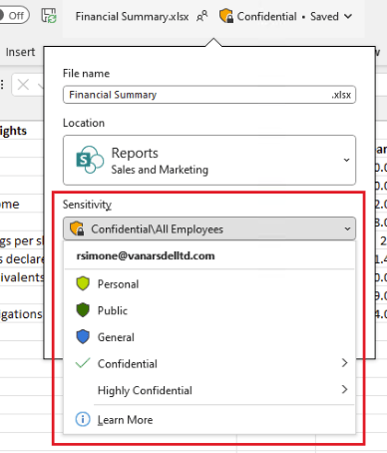
When you apply a sensitivity label, you classify data and enable proactive protection settings and actions.
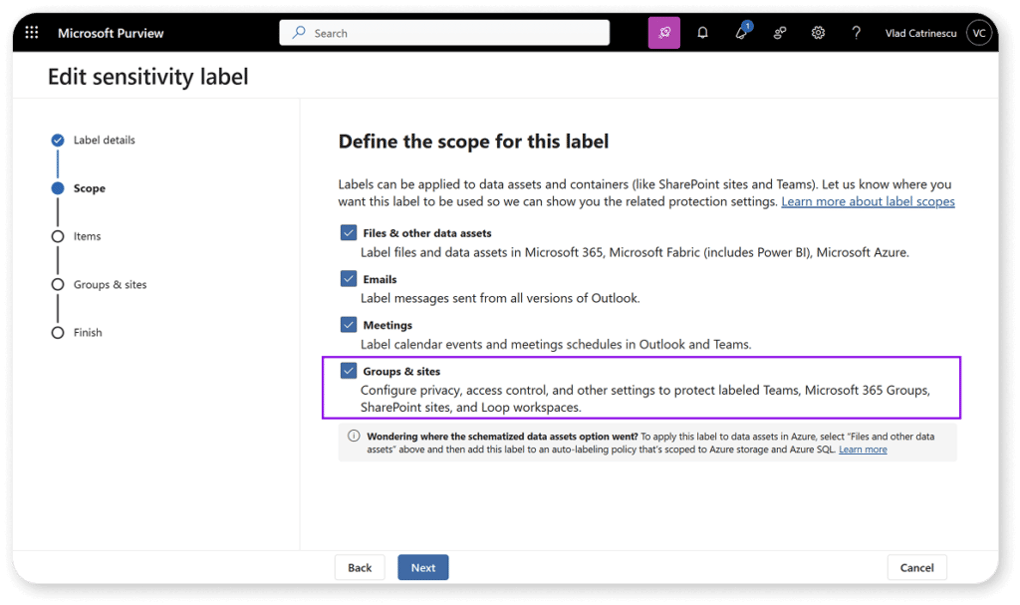
Sensitivity labels operate at two levels:
Workspace / container level:
- Controls internal and external access to Teams, SharePoint sites, and M365 Groups.
- Configures privacy settings and external sharing rules.
- Applies Conditional Access settings, such as blocking access from unmanaged devices.
- Defines whether private teams are discoverable in search results.
Files / meetings / emails level:
- Applies encryption and content markings.
- Restricts access to authorized users.
- Enables custom headers, footers, and watermarks.
- Auto-labels files and emails based on specified conditions.
- Protects meetings and chats by enforcing label-based security.