Automate governance & detect vulnerabilities
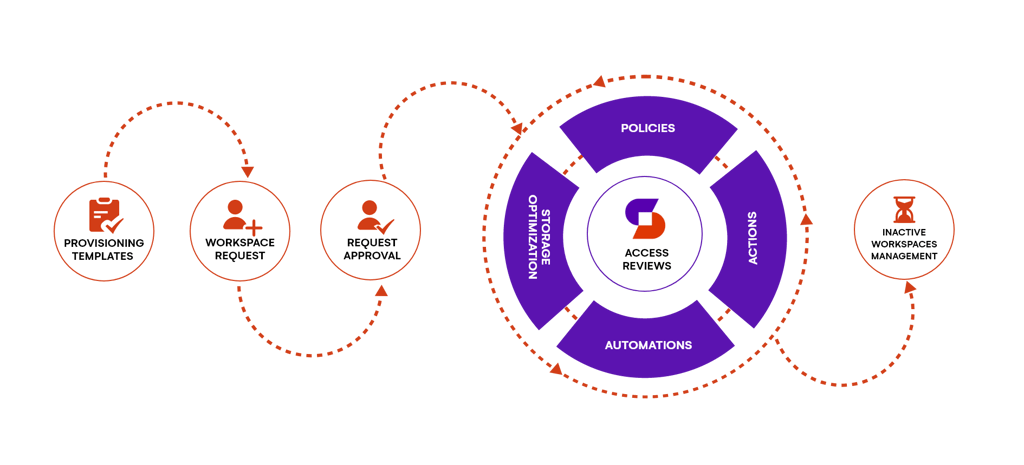
Governance automations let you take workspace maintenance to a new level by giving you a powerful engine that automatically applies policies, sends tasks, and takes actions – all according to your rules.
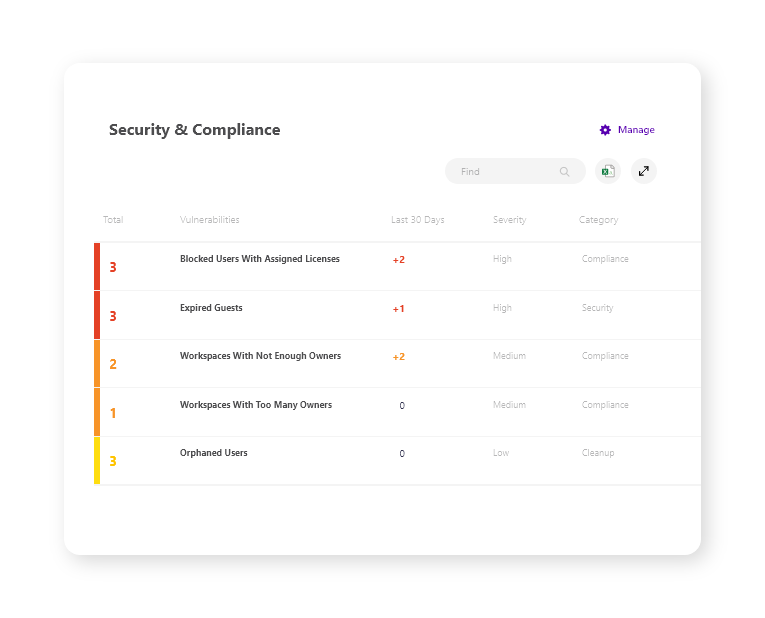
The Security & Compliance Dashboard in Syskit Point centralizes the most important vulnerabilities and policy violations and lets you:
- Take manual actions easily, for example, reallocating licenses from blocked to active users.
- Use automated policies to send tasks such as assigning or removing owners to site owners whenever Syskit Point detects a vulnerability.
- Use various automations that let the Syskit Point platform resolve issues such as stopping oversharing.
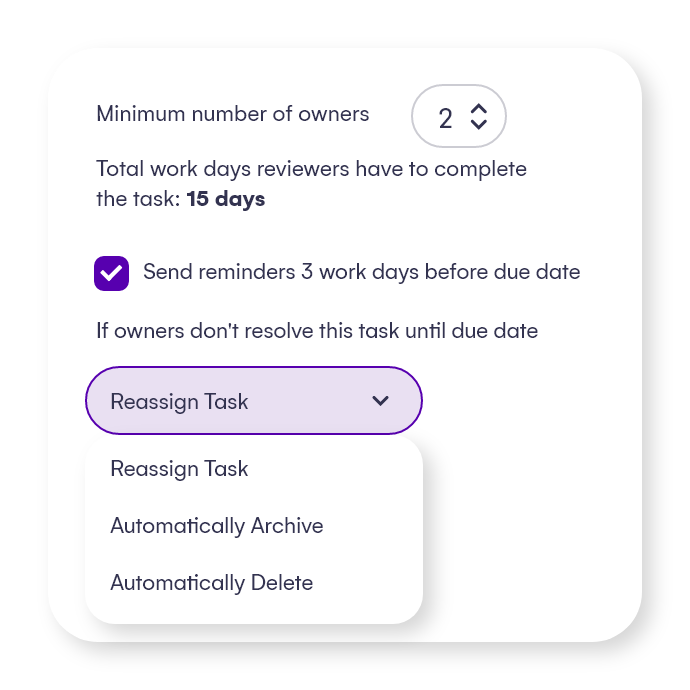
Having at least 2 active owners is critical, so you can always have a backup for the primary person responsible for workspace management and administration.
Point automatically detects when teams and groups don’t have a predefined minimum number of owners. When this happens, existing owners will receive an email to do a review so they can assign additional owners.
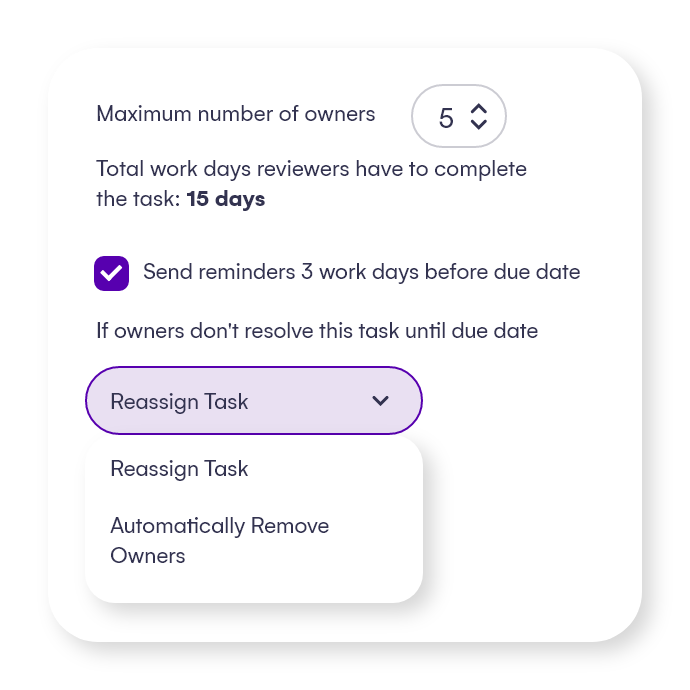
If there are too many owners in teams and groups, Point will send the owners a notification and ask them to review ownership.
You can decide who is the true owner and remove the unnecessary ones.
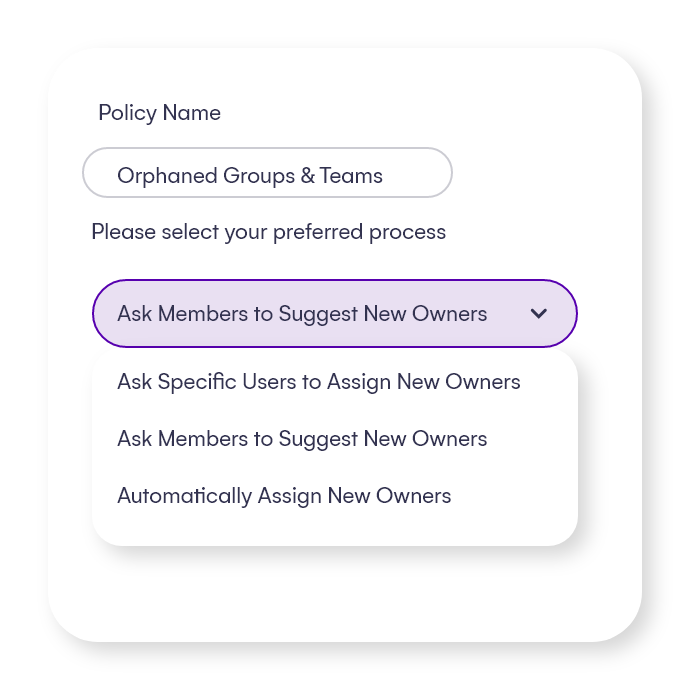
Ownerless teams can slow down productivity and be a security threat.
You can automatically assign the last owner’s manager, ask members to suggest a new owner, or let the admins decide.
Depending on the data’s sensitivity, you can apply different policies to different groups and teams.
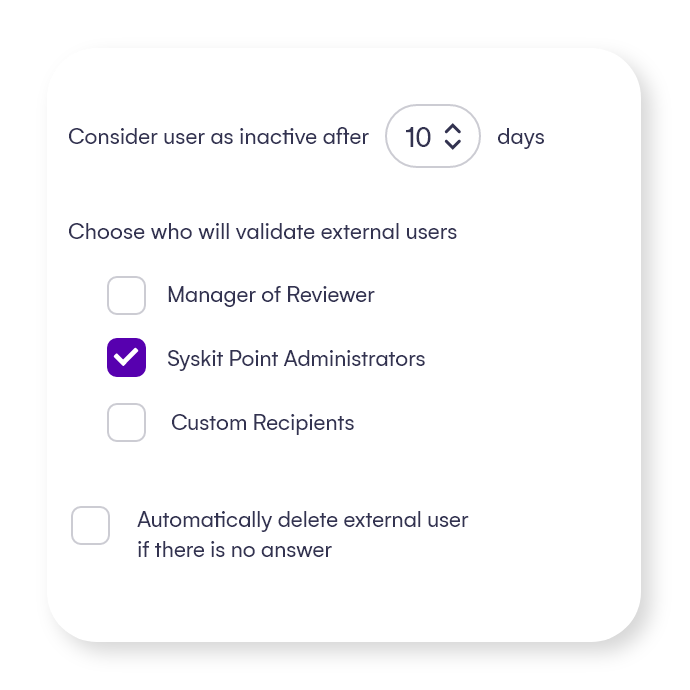
Ensure that guest users are reviewed periodically or whenever Point detects them as inactive.
Automatically remove the ones for which no one takes responsibility, leaving your environment secure and clean.
Enforce policies throughout the lifecycle
With Syskit Point you can easily set up policies that will help you automate governance, stay in control, and be able to track progress.
Setting up policies for the entire workspace lifecycle also helps you lift the manual burden from your IT team by empowering the content owners to do their part.
Here’s a breakdown of some of the policies:
Having at least 2 active owners is critical, so you can always have a backup for the primary person responsible for workspace management and administration.
Point automatically detects when teams and groups don’t have a predefined minimum number of owners. When this happens, existing owners will receive an email to do a review so they can assign additional owners.
If there are too many owners in teams and groups, Point will send the owners a notification and ask them to review ownership.
You can decide who is the true owner and remove the unnecessary ones.
Ownerless teams can slow down productivity and be a security threat.
You can automatically assign the last owner’s manager, ask members to suggest a new owner, or let the admins decide.
Depending on the data’s sensitivity, you can apply different policies to different groups and teams.
Ensure that guest users are reviewed periodically or whenever Point detects them as inactive.
Automatically remove the ones for which no one takes responsibility, leaving your environment secure and clean.
Empower resource owners with workspace reviews
Enhance your Microsoft 365 governance by making team, group, and site owners reliable governance partners with customizable and periodic workspace reviews and lifecycle management – because they have the best knowledge and insight about their resources.
The entire process takes just a few steps:
- An admin specifies the task: what resources need to be governed and how often.
- Owners receive an automated email request to perform an action.
- Owners do the recommendation-driven tasks in Syskit Point’s easy-to-use interface.
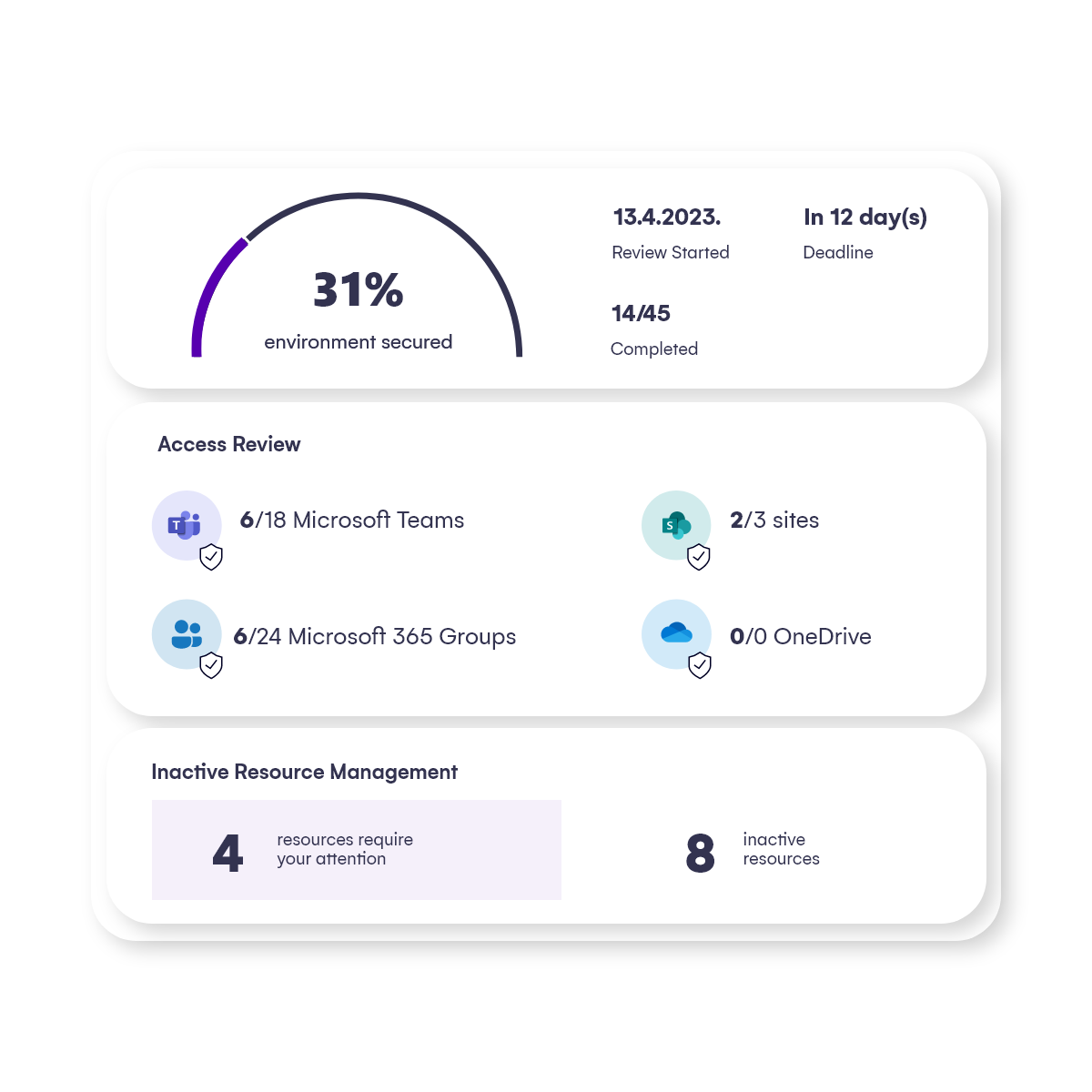
- An admin sees the progress of each active task and gets a detailed report on all review task activity.
- Owners receive reminders to complete their tasks.
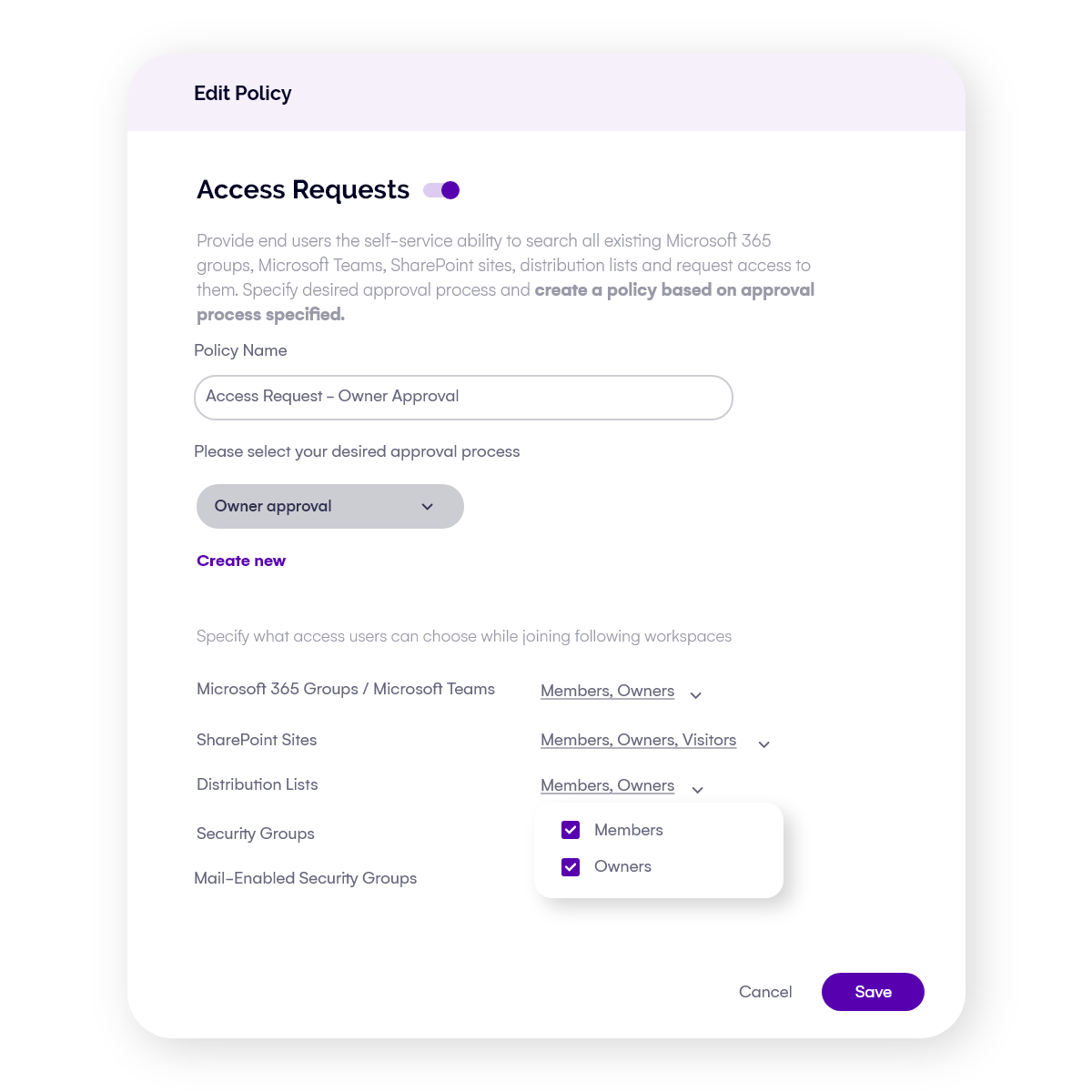
Streamline your workspace access requests
Your end users no longer need the IT team’s help to join workspaces.
Syskit Point’s access requests help streamline the workspace approval process and keep everything under control, introducing significant productivity benefits for both workspace owners and admins.
The Point Teams app gives your end users visibility across different workspaces and eliminates sprawl by preventing duplicate requests.
Your admins get a better workspace overview and bulk management options – all from a single location.
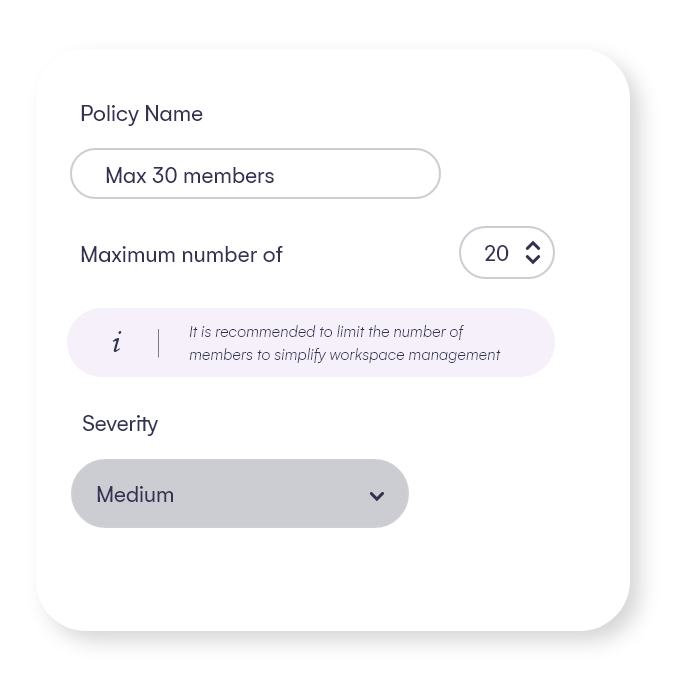
Too many members in a workspace may lead to more difficult access control and unsafe data access, and in the end result in a security risk.
The default maximum number of members policy limits it to 50 members per workspace, but you can adjust this number.
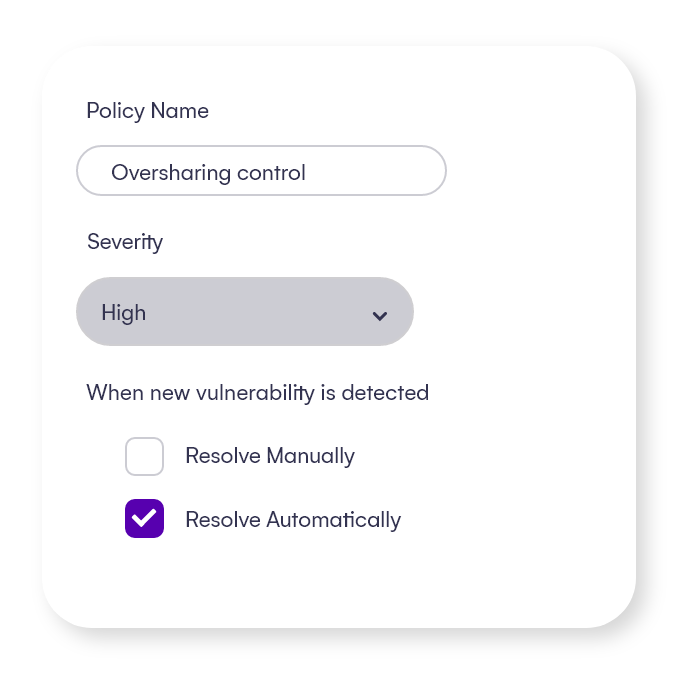
This situation is extremely delicate as it can easily lead to security breaches, administrative complexity, and uncontrolled access.
With this policy, you can easily find such workspaces and prevent oversharing issues by removing access for these groups. Just set up a rule and automation, and Point will handle this for you.
Detects users who have access to specific documents, folders, or other content but are not members or owners of that workspace.
The best practice is to share access within workspace members only, especially when a workspace is private and contains sensitive content.
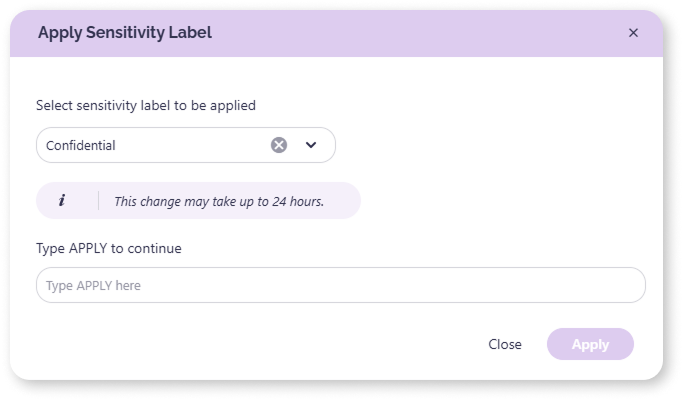
Sensitivity labels in Microsoft 365 are important for classifying, protecting, and managing sensitive data across an organization. If applied correctly and regularly, they help prevent data breaches by controlling data flow and restricting unauthorized access. Detect workspaces that don’t have a sensitivity label attached and could pose a security risk. Ask workspace Owners to review and apply or do it directly from the report.
Prevent oversharing and protect your digital environment
Whether you have just started planning to roll out Microsoft 365 Copilot to your organization or have already implemented it, it is essential to remember that Copilot operates on the principle of retrieving all the information that a user explicitly has access to.
To help you address the multiple issues that can arise from this, Syskit Point has several useful policies:
Too many members in a workspace may lead to more difficult access control and unsafe data access, and in the end result in a security risk.
The default maximum number of members policy limits it to 50 members per workspace, but you can adjust this number.
This situation is extremely delicate as it can easily lead to security breaches, administrative complexity, and uncontrolled access.
With this policy, you can easily find such workspaces and prevent oversharing issues by removing access for these groups. Just set up a rule and automation, and Point will handle this for you.
Detects users who have access to specific documents, folders, or other content but are not members or owners of that workspace.
The best practice is to share access within workspace members only, especially when a workspace is private and contains sensitive content.
Sensitivity labels in Microsoft 365 are important for classifying, protecting, and managing sensitive data across an organization. If applied correctly and regularly, they help prevent data breaches by controlling data flow and restricting unauthorized access. Detect workspaces that don’t have a sensitivity label attached and could pose a security risk. Ask workspace Owners to review and apply or do it directly from the report.
Optimize SharePoint storage usage
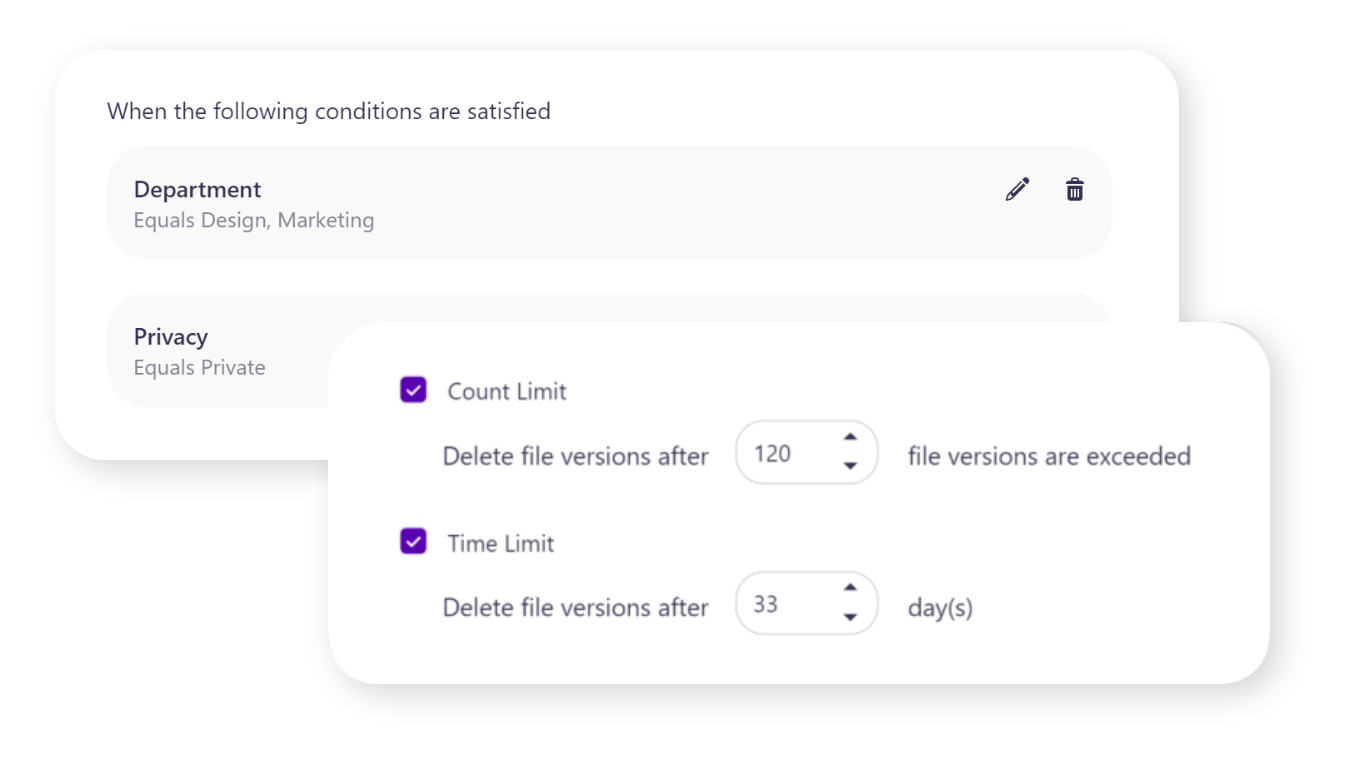
Enable continuous enforcement of old and redundant versioning cleanup through the workspace lifecycle.
- Set up various SharePoint storage versioning limits – file versions will be deleted after exceeding the set number of versions and/or after the set period of time.
- Set up governance rules and combine conditions (such as custom metadata, privacy, sensitivity, external collaboration, and more) to choose what types of new workspaces should automatically get what kind of versioning limit applied to its documents.
Unclutter and clean up your tenant
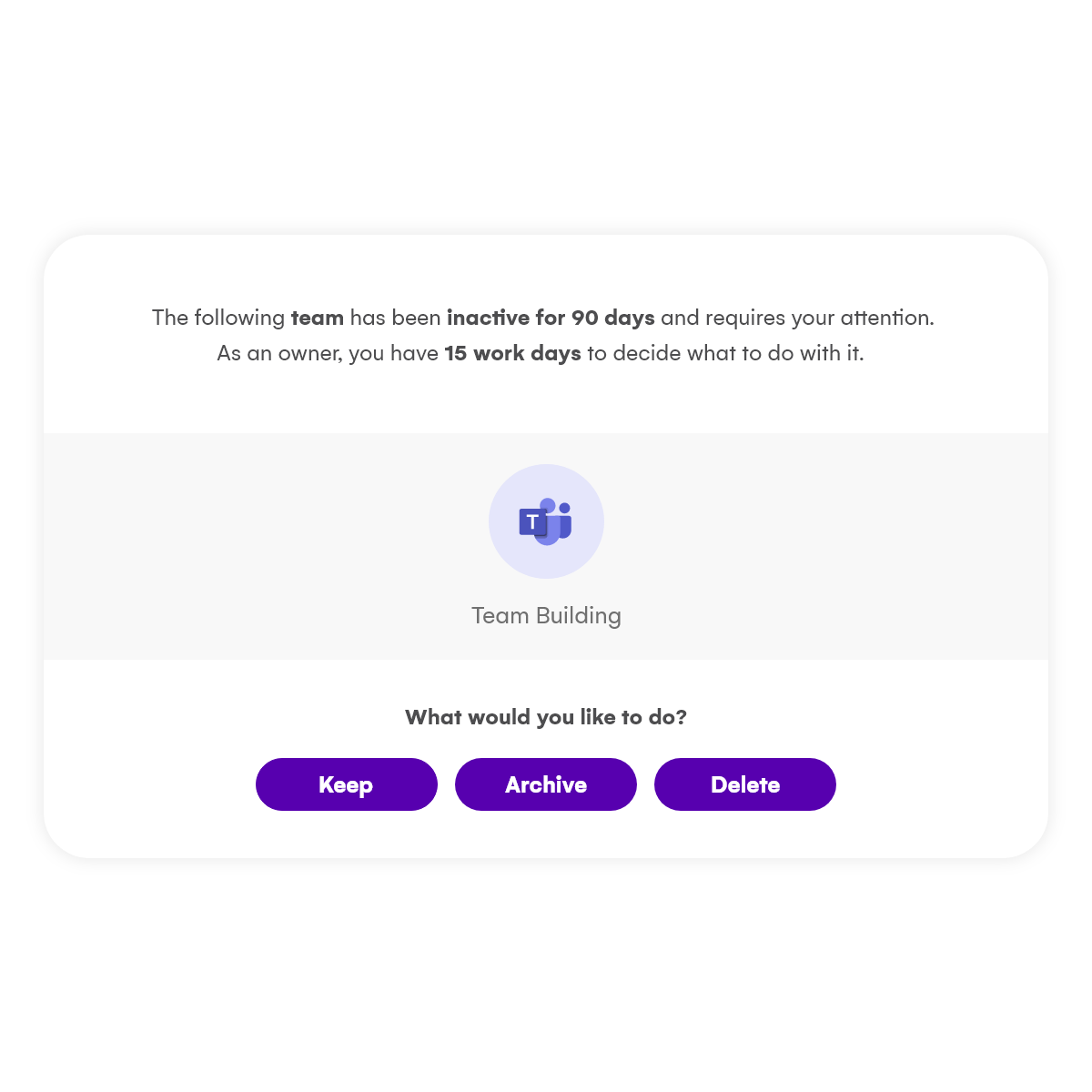
Prevent sprawl and ensure all data is properly archived or deleted when no longer actively needed with Syskit Point’s lifecycle management.
You can set up a policy that requests owners to manage and clean up their inactive workspaces regularly, controlling what they can decide to do with their inactive sites, teams, and groups:
- Keep – the resource is renewed.
- Delete – the resource is deleted from Microsoft 365.
- Archive – the resource stops being available to its members.