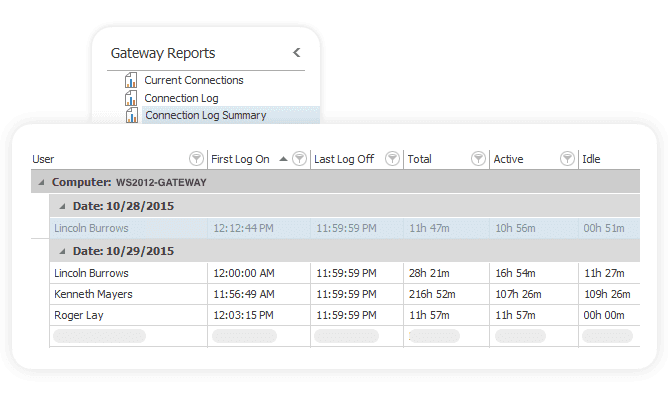
Gain instant knowledge of your user behavior and activity
Monitor your users’ activity no matter the location.
Instantly learn the following:
- time spent in each state (active, idle, or disconnected)
- used network traffic
- remote access
- the location from which a user is connecting
Sort connections by IP address or client name and make billing reports with actual working hours.
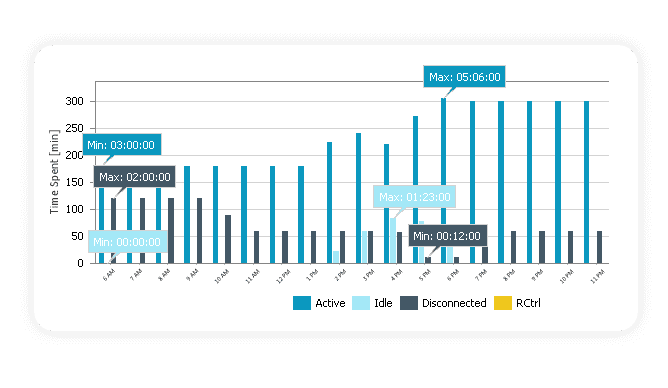
Analyze sessions running via ICA or RDP and export powerful reports
Easily track all users connecting from RDS and ICA.
Get a list of users, their time spent in each session, and their activity status.
Glance at the reports and quickly spot the most active or idle users.
Drill down into the data and analyze every user per day and per server.
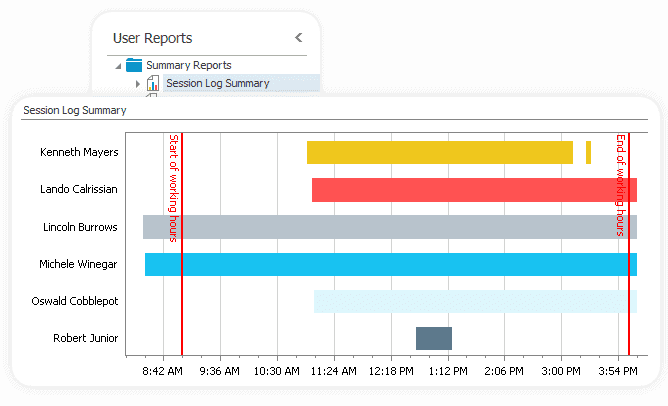
Control your remote desktop gateway connections
Do you know who, at what time, and from which IP uses your Remote Desktop Gateway to access your corporate network?
Syskit Monitor’s reporting helps you measure, track, and monitor Remote Desktop Gateway sessions historically or in real time.