The Power Platform governance gap: Why CoE and admin center alone aren't enough
Table of contents
Power Platform adoption keeps climbing inside Microsoft 365 tenants, and so does the governance headache that comes with it. Users spin up apps and flows faster than IT can track them, and at some point every organization asks the same question: how do we get visibility and control without slowing the business down?
Microsoft has now made its own answer to that question pretty clear, and it changes the calculation for anyone still relying on the Center of Excellence (CoE) Starter Kit.
CoE isn't a realistic option for most organizations anymore
Microsoft settled this one directly: the Power Platform Center of Excellence (CoE) Starter Kit is no longer actively maintained. Its core capabilities have been folded into the Power Platform admin center, and Microsoft says the kit "will not be enhanced with new capabilities." Issues are no longer reviewed or addressed; the only thing still routed for review is a security vulnerability report through the Microsoft Security Response Center.
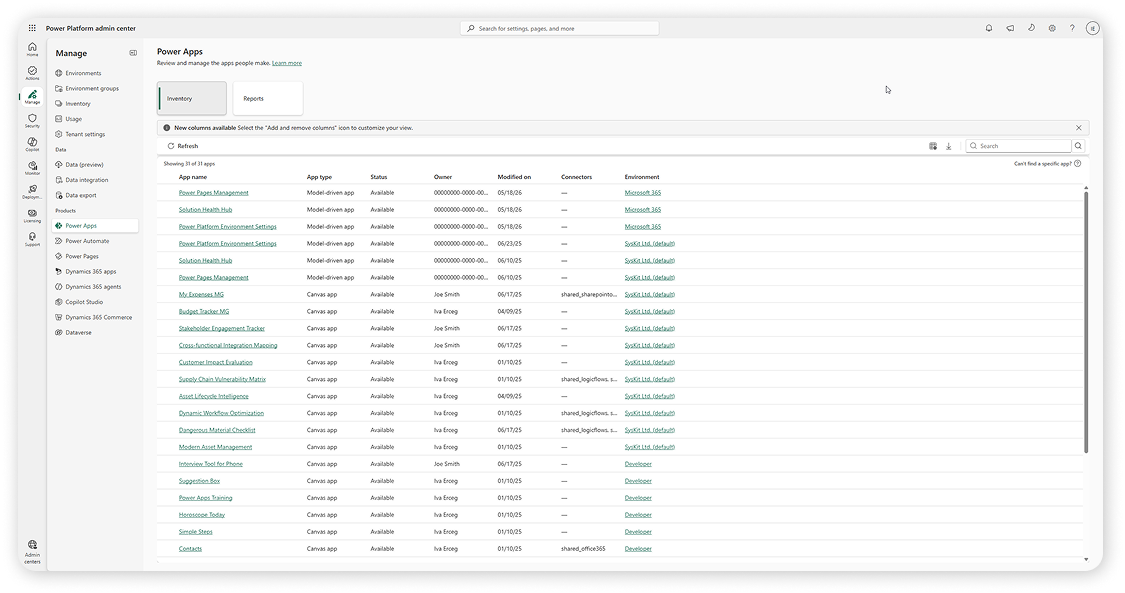
The kit still technically works, and existing or new deployments can keep using it, but Microsoft is explicit about where it wants organizations to go instead: it's actively encouraging everyone to move to the admin center as "the central experience for governance, monitoring, and insights."
That announcement lands on top of problems the CoE already had, even when it was being maintained:
- Complex setup: CoE isn't something you install; it's something you build. It takes dedicated technical resources and real implementation time before it produces any value. On top of the complex setup, manual maintenance was also required - installing new versions, checking what might break, and so on, which meant having someone dedicated to it.
- Limited support: As a community toolkit rather than an official product, there's a limited ticket support line to Microsoft when something breaks, and going forward, that support will likely fade away as well.
- Partial documentation: Enough to get started, not always enough to get unstuck.
- Cost that grows with usage: The toolkit runs on Power Platform components itself, so as your environment scales, so does the cost of running your own governance tool on top of it.
Take an already complex setup, remove any further investment from Microsoft, and the case for building a governance strategy around it gets a lot weaker. If your organization is still leaning on the CoE Starter Kit today, this is the moment to take that seriously rather than assume it'll keep working as-is.
Power Platform admin center has improved, but it doesn't cover everything
The natural next question: Does the admin center simply replace what CoE used to do?
Microsoft frames it that way, pointing to four in-product experiences that now map to the CoE's core scenarios. Inventory lets you view and govern all apps, flows, and agents across the tenant, while Usage tracks adoption and identifies top resources and their owners. Monitor tracks the operational health of heavily used resources, and Actions identifies risks, enforces best practices, and acts on governance insights.
That's real progress, and it covers more ground natively than it used to. But "covers the core scenarios" isn't the same as "covers what a governance team actually needs day-to-day." A few gaps still show up in practice:
-
Reporting is still scattered: Some of the reporting lives in native admin center views, some in separate Power BI reports, and the experience isn't consistent between them. A lot of the data only shows up per app, per flow, or per single environment, not across your whole tenant at once.
-
Cleanup has no bulk actions: Finding and removing orphaned apps or flows at scale isn't something the UI supports. Anything beyond basic housekeeping means writing your own scripts or custom flows.
-
There's no room for customization: No custom views, no way to define your own criteria for what counts as "inactive." Every organization's risk tolerance is different, and the admin center treats them all the same.
In short: Microsoft has moved the visibility layer in-house, which is genuinely useful. But visibility was never the hardest part of governance. Deciding what to do with what you see, and doing it efficiently across a growing tenant, still needs more than what's native today.
This is exactly the gap Syskit Point fills
This is the space Syskit Point was built for: not replacing the admin center, but covering what it, and the CoE Starter Kit, leave on the table.
Reporting in one place: Instead of toggling between native views and separate Power BI dashboards, Point gives you a single, consistent view of your Power Platform tenant. See key data points across all your environments at a glance - how many apps, flows, connectors, makers, or external users you have - without needing to open each environment individually.
Then select one or more environments to dive deeper into apps, flows, connections, or permissions. Pull a report across multiple environments at once, without piecing data together from different places.
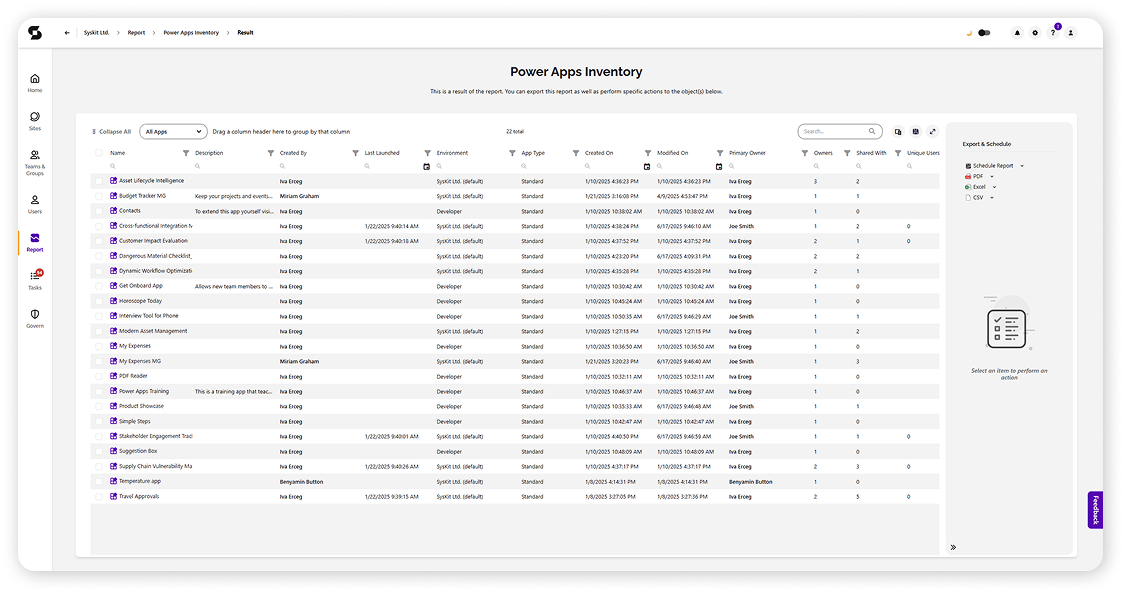
Cleanup that actually scales: Point surfaces orphaned apps and flows automatically and lets you act on them in bulk, across environments, without writing a script or building a custom flow.
Customization that suits your organization: set your own criteria for what counts as inactive, rather than working within fixed definitions, and build custom views to quickly surface the metrics that matter to you - like premium connectors in use or flows with failed runs.
And none of this is on you to maintain: Point installs in a few clicks, updates automatically, and comes with documentation and direct support behind it - no toolkit to build, no manual updates to track, no added cost as your usage grows. Everything that made the CoE heavy to own simply isn't a factor here.
The bottom line
Microsoft has confirmed CoE is no longer getting investment and is driving everyone toward the admin center instead. The admin center is a stronger native foundation than it used to be, but it still leaves real gaps in reporting, cleanup, and customization. That's exactly the space Syskit Point was built to fill: more capable than the admin center alone, easier to set up and use than CoE.