





Full, real-time control over SharePoint permissions in a centralized dashboard
Stop jumping between admin centers to piece together who has access to what, then jumping between more admin centers to fix it.
Syskit Point gives IT one place to see every SharePoint permission, external user, and sharing link across the entire M365 environment, and act on what's wrong directly from the same view. Remove users, edit permissions, restore inheritance, and remove sharing links, without touching admin centers or writing a script.
A clean environment IT can maintain, and prove it is clean when it matters. Syskit Point acts as the SharePoint permission manager that your environment has been missing.
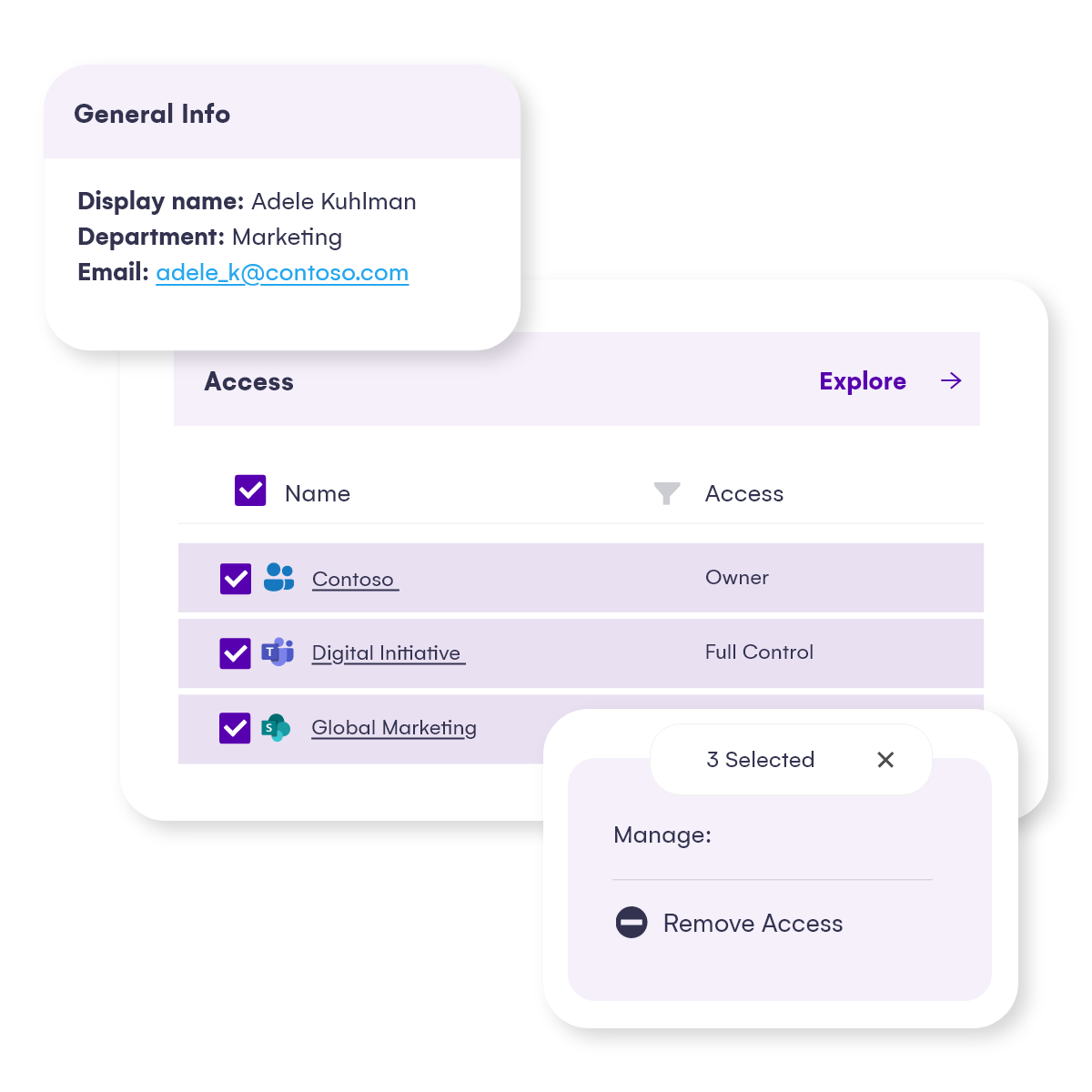
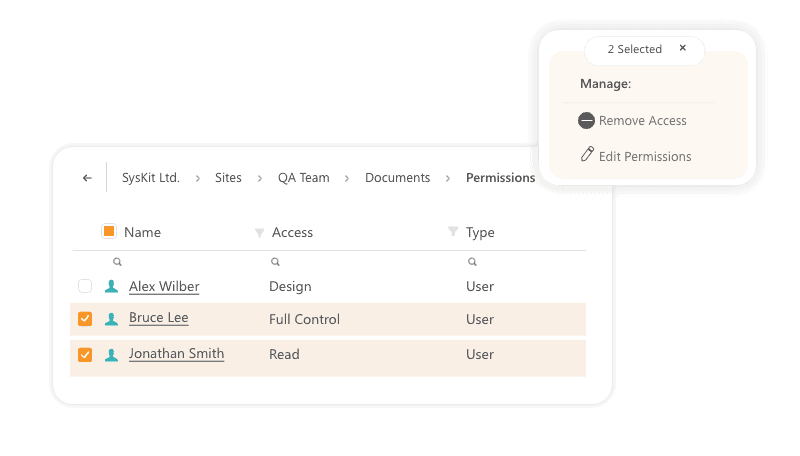
Get a complete picture of who has access to what across every SharePoint site, library, file, and folder, including Teams, OneDrive, and Groups. See whether access is direct, inherited, or group-based, filter by user or permission type, and understand exactly where external users and sharing links exist. What used to mean clicking through every site and admin center is now a single, searchable view of SharePoint online permissions across the entire environment.
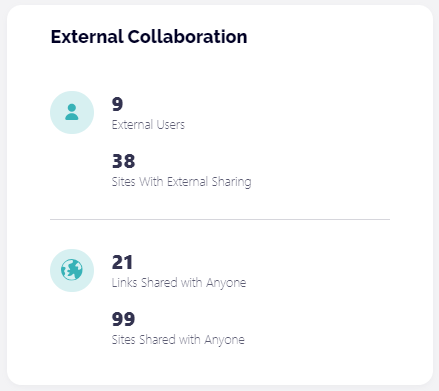
Every external user, guest account, and sharing link across your M365 environment in one place.
See when access was granted, and what it covers. Find inactive guests, expired sharing links, and content shared with everyone, and remove them directly from the report without navigating the SharePoint site by site.
Redgate removed 2,000 expired sharing links and surfaced 3,000 inactive guest users this way.
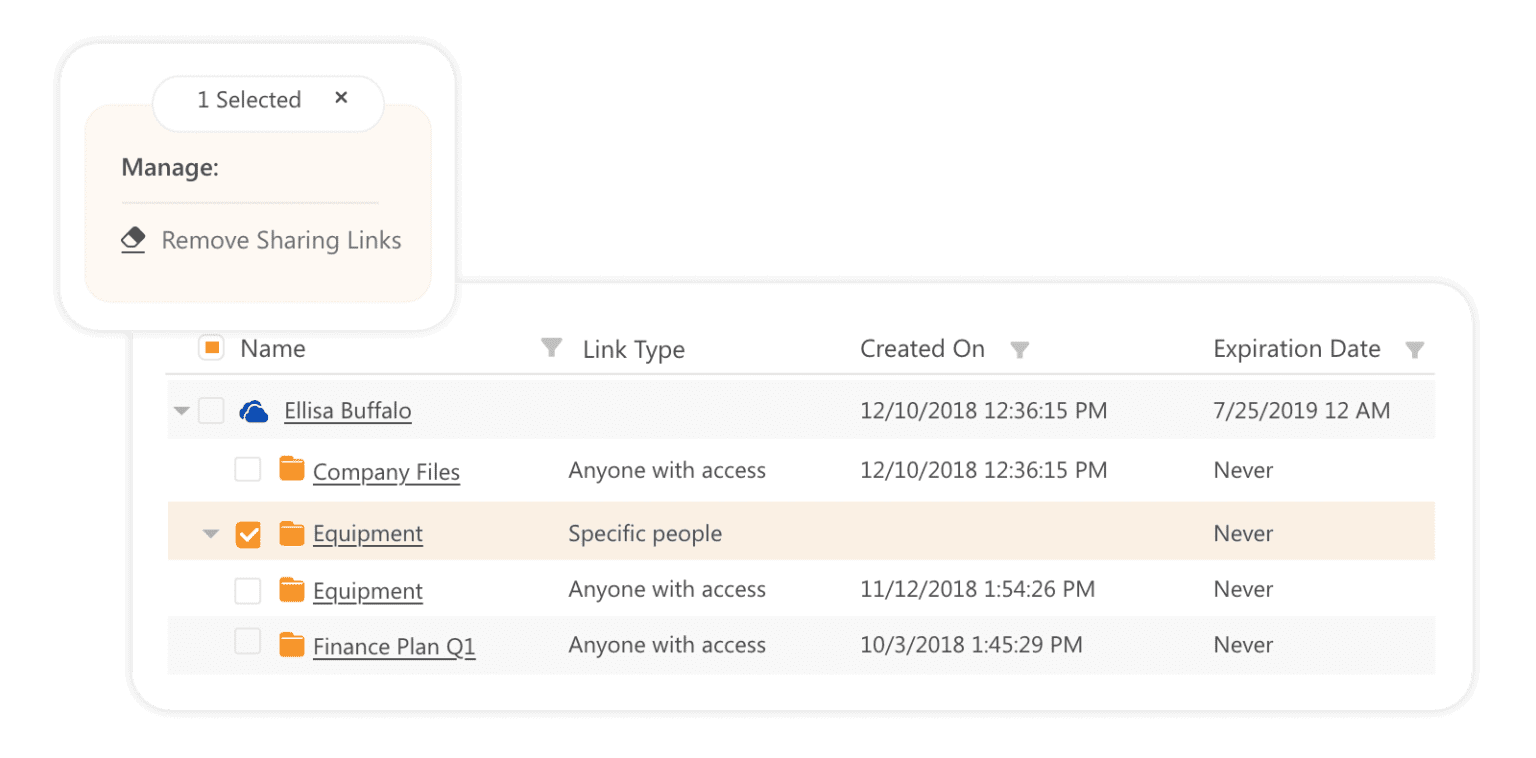
Broken inheritance is where SharePoint permission problems hide for years. A folder shared during a migration, an ex-employee whose access was never removed, a temporary grant that never expired. The Unique Permissions report surfaces every object where inheritance has been broken across your environment, so you can find the access risk that's been sitting quietly since the last migration and fix it before an auditor or Copilot does.
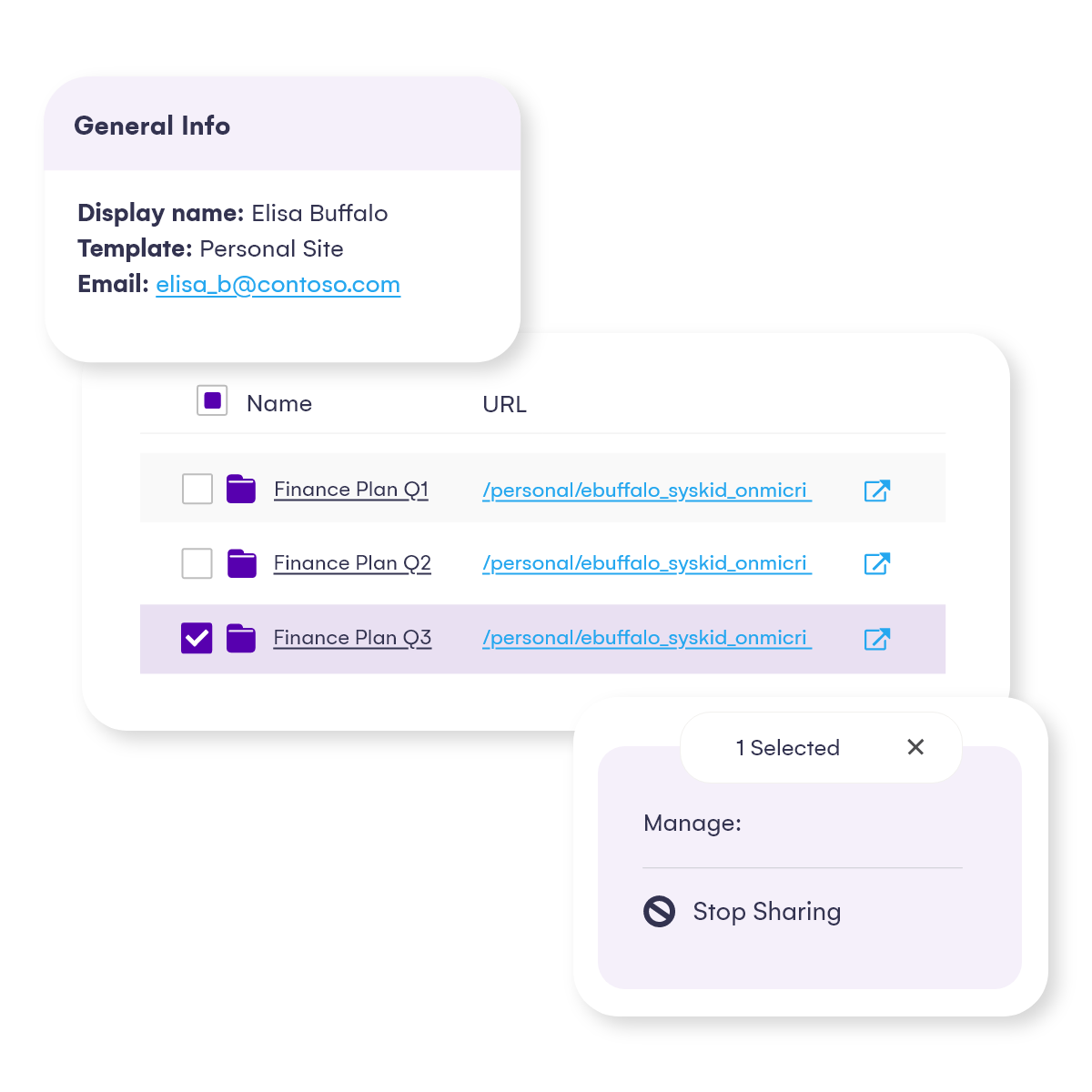
Seeing the problem is half the work. Syskit Point lets IT act without leaving the interface, remove user access, edit permission levels, delete unique permissions, remove sharing links, and restore inheritance directly from the report.
No native SharePoint clicking. No PowerShell.
Managing SharePoint permissions and access rights at scale from one place, in a fraction of the time.
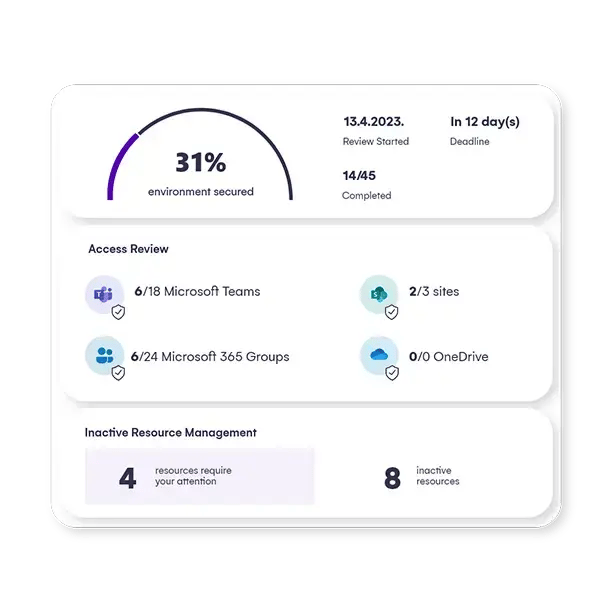
IT can't scale permission management alone. Syskit Point lets IT delegate periodic access reviews to workspace owners: the people who know their content best. Owners receive guided tasks to review who has access to their sites, confirm legitimate access, and remove users or sharing links that no longer belong. IT sets the cadence, oversees the process from a governance dashboard, and never has to manually check every workspace. SharePoint permissions management becomes continuous, not just something IT does after an audit forces a cleanup.
Everything IT needs to manage SharePoint permissions built into one platform
Get a complete picture of who has access to what across every SharePoint site, library, file, and folder, including Teams, OneDrive, and Groups. See whether access is direct, inherited, or group-based, filter by user or permission type, and understand exactly where external users and sharing links exist. What used to mean clicking through every site and admin center is now a single, searchable view of SharePoint online permissions across the entire environment.
Every external user, guest account, and sharing link across your M365 environment in one place.
See when access was granted, and what it covers. Find inactive guests, expired sharing links, and content shared with everyone, and remove them directly from the report without navigating the SharePoint site by site.
Redgate removed 2,000 expired sharing links and surfaced 3,000 inactive guest users this way.
Broken inheritance is where SharePoint permission problems hide for years. A folder shared during a migration, an ex-employee whose access was never removed, a temporary grant that never expired. The Unique Permissions report surfaces every object where inheritance has been broken across your environment, so you can find the access risk that's been sitting quietly since the last migration and fix it before an auditor or Copilot does.
Seeing the problem is half the work. Syskit Point lets IT act without leaving the interface, remove user access, edit permission levels, delete unique permissions, remove sharing links, and restore inheritance directly from the report.
No native SharePoint clicking. No PowerShell.
Managing SharePoint permissions and access rights at scale from one place, in a fraction of the time.
IT can't scale permission management alone. Syskit Point lets IT delegate periodic access reviews to workspace owners: the people who know their content best. Owners receive guided tasks to review who has access to their sites, confirm legitimate access, and remove users or sharing links that no longer belong. IT sets the cadence, oversees the process from a governance dashboard, and never has to manually check every workspace. SharePoint permissions management becomes continuous, not just something IT does after an audit forces a cleanup.

Robert Chipperfield
Security Manager, Redgate
"We knew SharePoint permissions were a problem, but we didn't have a practical way to understand it at scale. With the size of our environment, you can't manually review who has access to what. It's just not tractable."

Sebastien Nunes
SharePoint and Office 365 Admin, iTeos Therapeutics
"One of the key components of Syskit Point for us is the powerful reporting where we can narrow the selection and go quite deep into the structure of permissions and all the data regarding the permissions and memberships."

Florian Rada
Information Technology Manager, Fortech
"The permission systems in OneDrive and SharePoint weren't intuitive enough to have an overview of what's happening with the content access. It was not feasible and scalable to track and review all the sharing actions through it."