





M365 captures every SharePoint audit log. Syskit Point makes it usable
Every file access, permission change, sharing link, admin action, and Microsoft Teams user activity across SharePoint, Teams, Exchange, and OneDrive is recorded in Microsoft 365. The data exists. The problem is that it lives across multiple portals, in formats that weren't designed for investigations, and extracting it to produce a SharePoint audit report means either a PowerShell script or a CSV export that takes hours to make useful when someone is already waiting for an answer.
Syskit Point consolidates every SharePoint activity log and audit record into one searchable, filterable interface, so the answer to any audit question is a few clicks away, not a few hours.
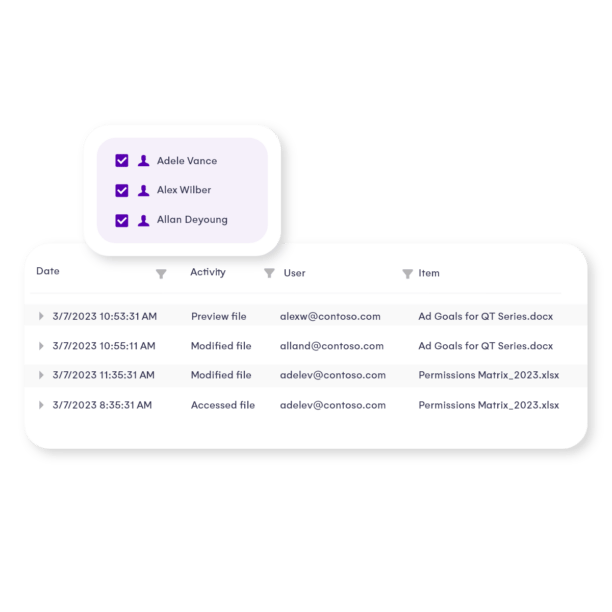
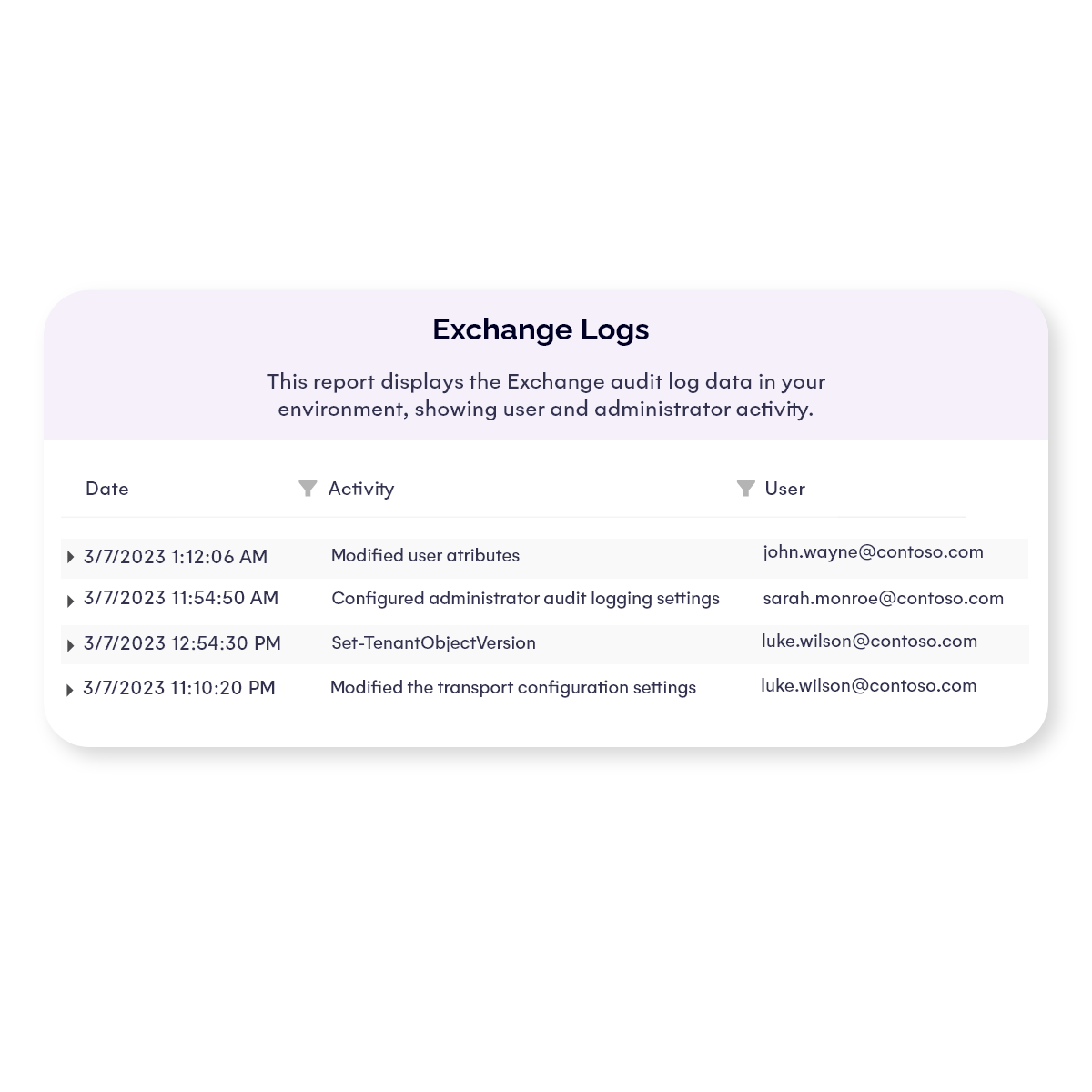
Syskit Point captures every admin and user action across SharePoint Online, Teams, OneDrive, and Groups in one place. Browse SharePoint activity logs by user, date, workload, or event type using straightforward filters, no PowerShell, no switching between admin centers. Whether you're investigating a specific incident or reviewing Microsoft Teams user activity for a compliance check, every action is searchable and ready to export. What used to mean hours of manual log extraction now takes minutes.
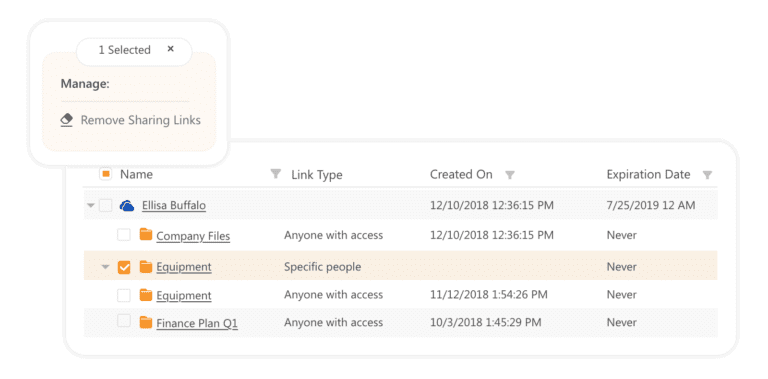
Get complete permission reports across SharePoint sites, Teams, Groups, and OneDrive, down to the file and folder level. Track internal users, external guests, shared links, and broken permission inheritance in one view. When a colleague asks "who has access to this document?" or an auditor asks "who had access during this period?", the answer is immediate. When someone leaves the company, see every resource they had access to and remove it in bulk, without checking site by site.
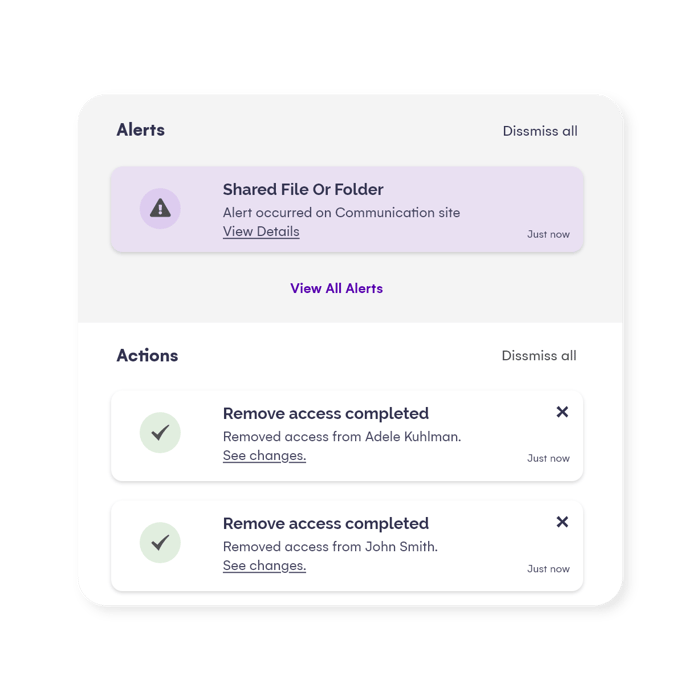
Set up alerts for the events that matter: unauthorized permission changes, external sharing of sensitive files, suspicious admin actions, and anonymous link creation. When a colleague accidentally shares a file externally, you'll know within minutes, not after the damage is done. Receive an alert, investigate, and resolve an unauthorized sharing incident before it reaches a breach, all within minutes. Alerts are fully customizable, so you only hear about what matters to your environment.
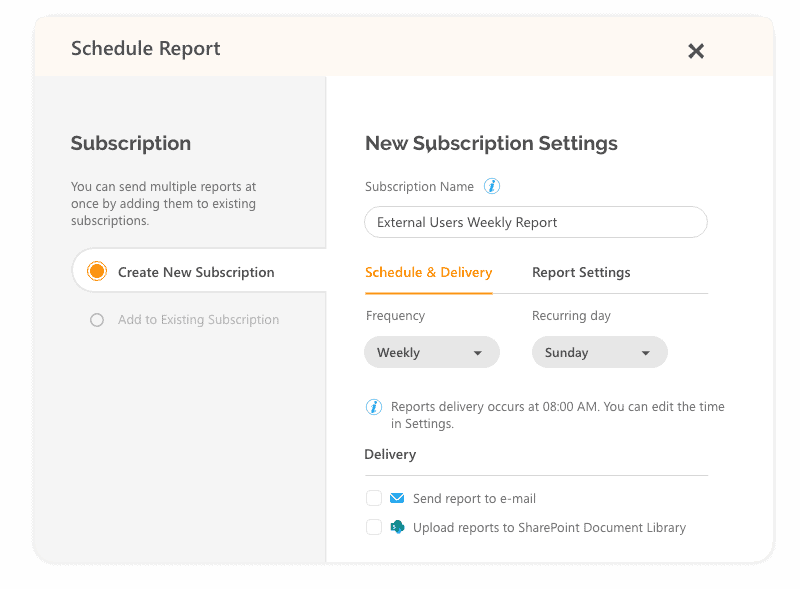
Schedule regular SharePoint audit reports to send directly to your auditors, or give them access to the interface. Export everything in a clean, professional format, who did what, where, and when, covering SharePoint Online, Teams, Exchange, and OneDrive in a single SharePoint audit report. Replace screenshots and manually created Excel sheets of M365 activity logs with scheduled reports that meet J-SOX requirements. Whether your compliance framework is ISO 9001, HIPAA, GDPR, or J-SOX, the reports are ready before the auditor walks in.
How Syskit Point gives you the answer every time
Syskit Point captures every admin and user action across SharePoint Online, Teams, OneDrive, and Groups in one place. Browse SharePoint activity logs by user, date, workload, or event type using straightforward filters, no PowerShell, no switching between admin centers. Whether you're investigating a specific incident or reviewing Microsoft Teams user activity for a compliance check, every action is searchable and ready to export. What used to mean hours of manual log extraction now takes minutes.
Get complete permission reports across SharePoint sites, Teams, Groups, and OneDrive, down to the file and folder level. Track internal users, external guests, shared links, and broken permission inheritance in one view. When a colleague asks "who has access to this document?" or an auditor asks "who had access during this period?", the answer is immediate. When someone leaves the company, see every resource they had access to and remove it in bulk, without checking site by site.
Set up alerts for the events that matter: unauthorized permission changes, external sharing of sensitive files, suspicious admin actions, and anonymous link creation. When a colleague accidentally shares a file externally, you'll know within minutes, not after the damage is done. Receive an alert, investigate, and resolve an unauthorized sharing incident before it reaches a breach, all within minutes. Alerts are fully customizable, so you only hear about what matters to your environment.
Schedule regular SharePoint audit reports to send directly to your auditors, or give them access to the interface. Export everything in a clean, professional format, who did what, where, and when, covering SharePoint Online, Teams, Exchange, and OneDrive in a single SharePoint audit report. Replace screenshots and manually created Excel sheets of M365 activity logs with scheduled reports that meet J-SOX requirements. Whether your compliance framework is ISO 9001, HIPAA, GDPR, or J-SOX, the reports are ready before the auditor walks in.

Ulfar Helgason
Head of IT, Coripharm
Equivalent of 4 hours of IT work saved every day.
In a heavily regulated pharmaceutical environment, knowing who has access to what isn't optional, it's a compliance requirement. Before Syskit Point, Ulfar was spending hours each week checking user access site by site, folder by folder, with no way to do it in bulk.
"The pharmaceutical industry is heavily regulated, and it would be impossible to run reports that give an overview of users, groups, and what they have access to without Syskit Point."

Kruno Blažinović
System Administrator, Zagreb Airport
ISO 9001 compliance satisfied. Compliance reports produced in a few clicks.
Zagreb Airport operates under ISO 9001 compliance and needed both scheduled audit reporting and the ability to respond to security incidents in real time. The test came when a colleague accidentally shared a sensitive file externally.
"I received a notification in my email and quickly established that it was a mistake that could lead to a major incident. Because of Syskit Point, it was resolved in a matter of minutes."

Richard Leaf
Director of Applications, Woodside Homes
Replaced manual screenshot evidence with scheduled professional audit reports.
Woodside Homes faced J-SOX compliance audits with no clean way to produce evidence. Their process: log into the Microsoft 365 console and take screenshots of activity logs. Every security incident meant manual evidence gathering, and auditors weren't impressed.
"Native capabilities within the SharePoint admin center give you only a portion of what you need to provide to auditors, and that portion is not user-friendly."