





The gaps in Microsoft 365 policy management
As your Microsoft 365 environment grows, the flaws of native Microsoft 365 policies start to show. Inactive workspaces pile up, guest access goes unchecked, and oversharing or compliance gaps can silently put your environment at risk.
Syskit Point prevents all of them (and more) with advanced policy controls that automatically enforce ownership rules, access reviews, workspace expiration, and guest recertification; so policies don’t silently fail.
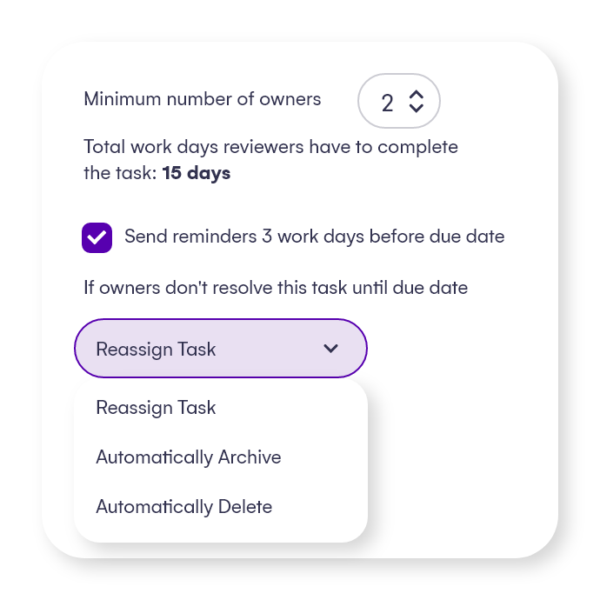
Having at least 2 active owners is critical, so you can always have a backup for the primary person responsible for workspace management and administration.
Point automatically detects when teams and groups don’t have a predefined minimum number of owners. When this happens, existing owners will receive an email to do a review so they can assign additional owners.
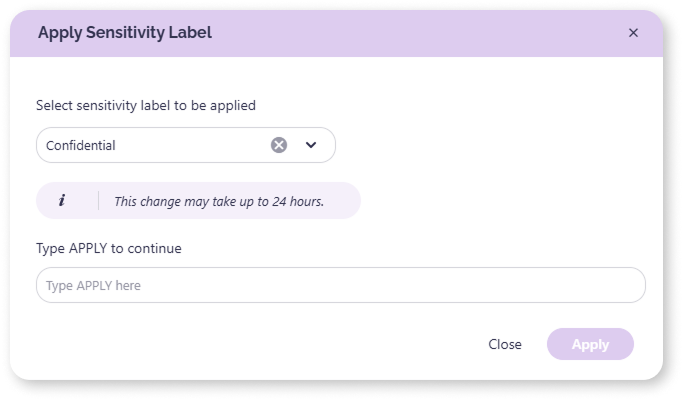
Sensitivity labels in Microsoft 365 are important for classifying, protecting, and managing sensitive data across an organization. If applied correctly and regularly, they help prevent data breaches by controlling data flow and restricting unauthorized access. Detect workspaces that don't have a sensitivity label attached and could pose a security risk. Ask workspace Owners to review and apply or do it directly from the report.
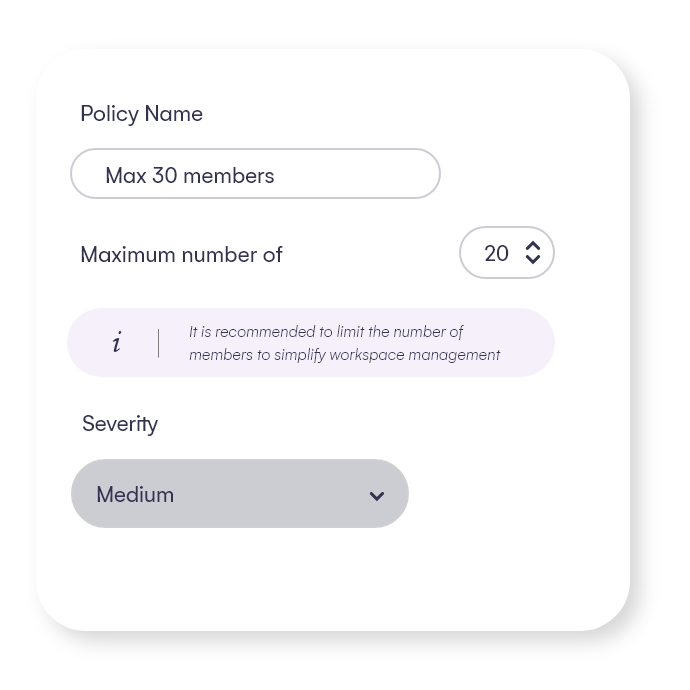
Too many members in a workspace may lead to more difficult access control and unsafe data access, and in the end result in a security risk.
The default maximum number of members policy limits it to 50 members per workspace, but you can adjust this number.
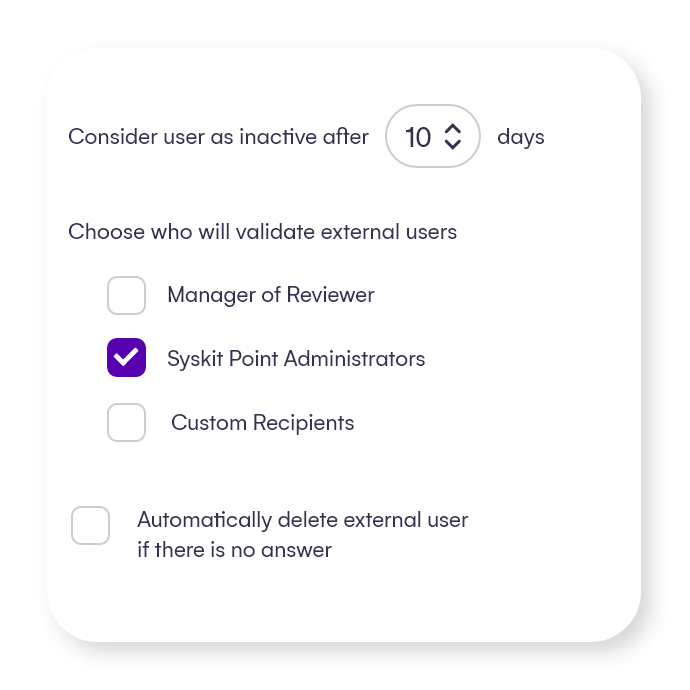
Ensure that guest users are reviewed periodically or whenever Point detects them as inactive.
Automatically remove the ones for which no one takes responsibility, leaving your environment secure and clean.
Governance policies for the entire lifecycle
With Syskit Point, you can easily set up SharePoint governance policies to help you automate governance, stay in control, and track progress.
Setting up policies for the entire workspace lifecycle also helps you lift the manual burden from your IT team by empowering the content owners to do their part.
Syskit Point's numerous handy policies will help you manage resources from their creation to their end and ultimately improve your Microsoft 365 governance.
Take full control over creation, access, and cleanup with policies such as:
Having at least 2 active owners is critical, so you can always have a backup for the primary person responsible for workspace management and administration.
Point automatically detects when teams and groups don’t have a predefined minimum number of owners. When this happens, existing owners will receive an email to do a review so they can assign additional owners.
Sensitivity labels in Microsoft 365 are important for classifying, protecting, and managing sensitive data across an organization. If applied correctly and regularly, they help prevent data breaches by controlling data flow and restricting unauthorized access. Detect workspaces that don't have a sensitivity label attached and could pose a security risk. Ask workspace Owners to review and apply or do it directly from the report.
Too many members in a workspace may lead to more difficult access control and unsafe data access, and in the end result in a security risk.
The default maximum number of members policy limits it to 50 members per workspace, but you can adjust this number.
Ensure that guest users are reviewed periodically or whenever Point detects them as inactive.
Automatically remove the ones for which no one takes responsibility, leaving your environment secure and clean.
Syskit Point makes it easy to ensure different sharing policies and controls are in place. It’s important to us to have a clear view of what is being shared and with whom and be able to control the guest user lists and memberships.
Scott Dyer
Senior Director of Information Technology at Ovative Group


Before implementing Syskit Point, we relied on manual processes, spreadsheets, and native M365 tools to manage permissions, governance, and access reviews. These methods were time-consuming and prone to human error.
Elton Kuttschreuter, DevOps Lead Engineer at Lotus Cars
With Syskit Point and Microsoft technology, we gained full control over our Microsoft 365 environment, streamlining IT processes and ensuring top-tier data protection across our global operations.