






Menu Close

Optimize licensing costs in Microsoft 365

Making the most of your Microsoft 365 licenses is more than just paying for them and calling it a day. It requires frequent engagement to determine whether they still meet your business needs.

Over time, your licenses might become unassigned, inactive, or oversized, leaving you with an unoptimized budget.

Coca Cola
Lionsgate
IBM
Rimac-color-logo
LEGO
IATA

Challenge: Unoptimized licensing budget

A major reason for excessive Microsoft 365 licensing costs is the failure to identify inactive licenses and continue to pay for them.

The following cost drivers might be present in your organization, without you realizing it:


Mistakes with license access

Employees don’t receive license access due to oversights and ineffective processes and reporting.

Inactive and unused licenses

Licenses are not reassigned when employees leave the company, so monthly subscription costs continue to accrue.

Inaccurate budget requirements

Department leaders can't effectively and proactively keep track of license requirements and expected costs for their teams.

Changes in license requirements

Departments experience workload changes due to evolving needs or technological changes, affecting the required number of licenses.

Solution: Insightful license reporting with Syskit Point

Syskit Point lets you optimize and control costs by monitoring license consumption and storage status in real time.

You can report on inactive and unassigned licenses, and specific licensed services that assigned users are not using.
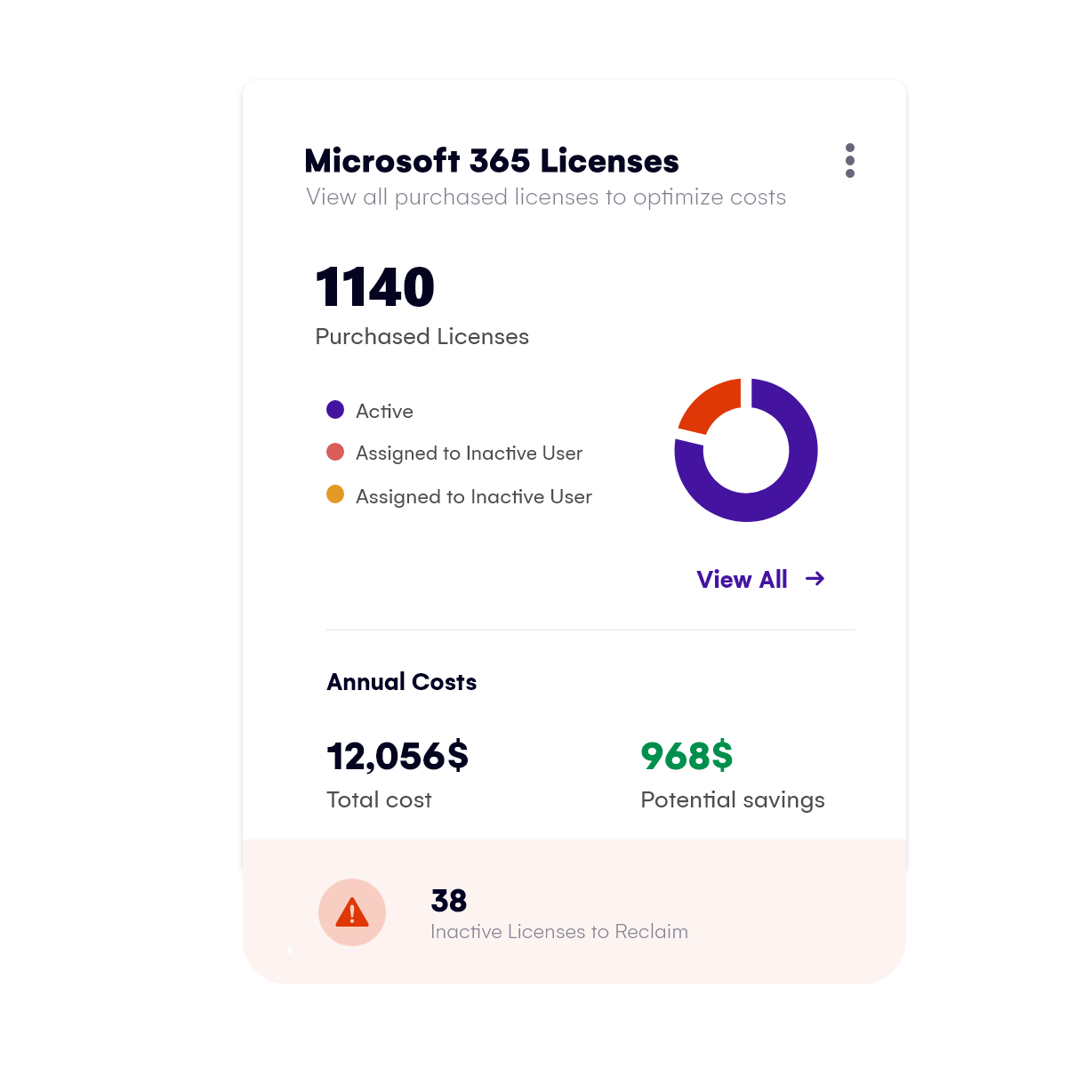
REPORTING-optimize-m365-licensing-costs_simple

The Syskit Point advantage

Here's how Syskit Point’s powerful reporting features help you maximize the return on your Microsoft 365 investment with multiple use cases:

License comparison

Compare the number of purchased and assigned Microsoft 365 and SharePoint licenses to plan the ramp-up accordingly.

License management

Detect all inactive and unassigned licenses and reassign them to active users.

User activity reporting

See which users are utilizing specific services and potentially remove them from inactive users.

Monthly license overview

Regularly check the available licenses, assess capacity requirements and plan ramp-ups accordingly.

Worldwide overview

Regularly check the available licenses regardless of your users’ locations or departments.

With Syskit Point, you can say we have 35% of inactive licenses costing us this much per year, and it’s easy to identify them and resolve this situation.

Richard Leaf

IT Manager at Woodside Homes

Richard Leaf, Woodside Homes

Cut costs with powerful Syskit Point license optimization

Gain insight that helps you eliminate waste, identify and reclaim unused licenses, and maximize your Microsoft 365 ROI.

You’re just a few quick steps away from getting a 100% real experience of an optimized Microsoft 365 environment. No credit card is required, and it only takes a few minutes to start.