





Spot risk, prove control, and act fast with complete Microsoft 365 reporting
Instantly see and manage permissions, access, and sharing across Teams, SharePoint, OneDrive, and Groups, all from one centralized interface. Syskit Point is the governance layer for Microsoft 365 that helps IT teams reduce exposure, stay audit-ready, and act on risky access fast.
Start your 21-day free trial to get a hold of security breaches, compliance violations, and data loss. No credit card is required.
Trusted by
See exposure clearly
Find who has access to what across your Microsoft 365 environment without jumping between admin centers.
Compliance risk cut by 40%
Spot external access, oversharing, and permission sprawl before they lead to incidents, audit issues, or data leakage.
Control cost and sprawl
Stop IT budget drain by quickly identifying inactive workspaces, wasted licenses, and unnecessary storage.
Keep sprawl under control
Track ownership, activity, permissions, and cleanup needs across the workspace lifecycle, from creation to disposal, without turning IT into the bottleneck.
Why native Microsoft 365 reporting isn't enough for audit-ready governance
Microsoft 365 reporting should give your team a reliable way to show what is governed, what needs attention, and what has already been fixed.
Native reports give IT a starting point, but they don't create a complete governance process.
Proving compliance, preparing for audits, and keeping Microsoft 365 clean at scale is difficult when essential permissions, external sharing, ownership, and usage reports are scattered across admin centers.
By connecting Microsoft 365 reporting to action, your IT team can stop chasing evidence, clean up access automatically, and react before risk appears on the horizon.
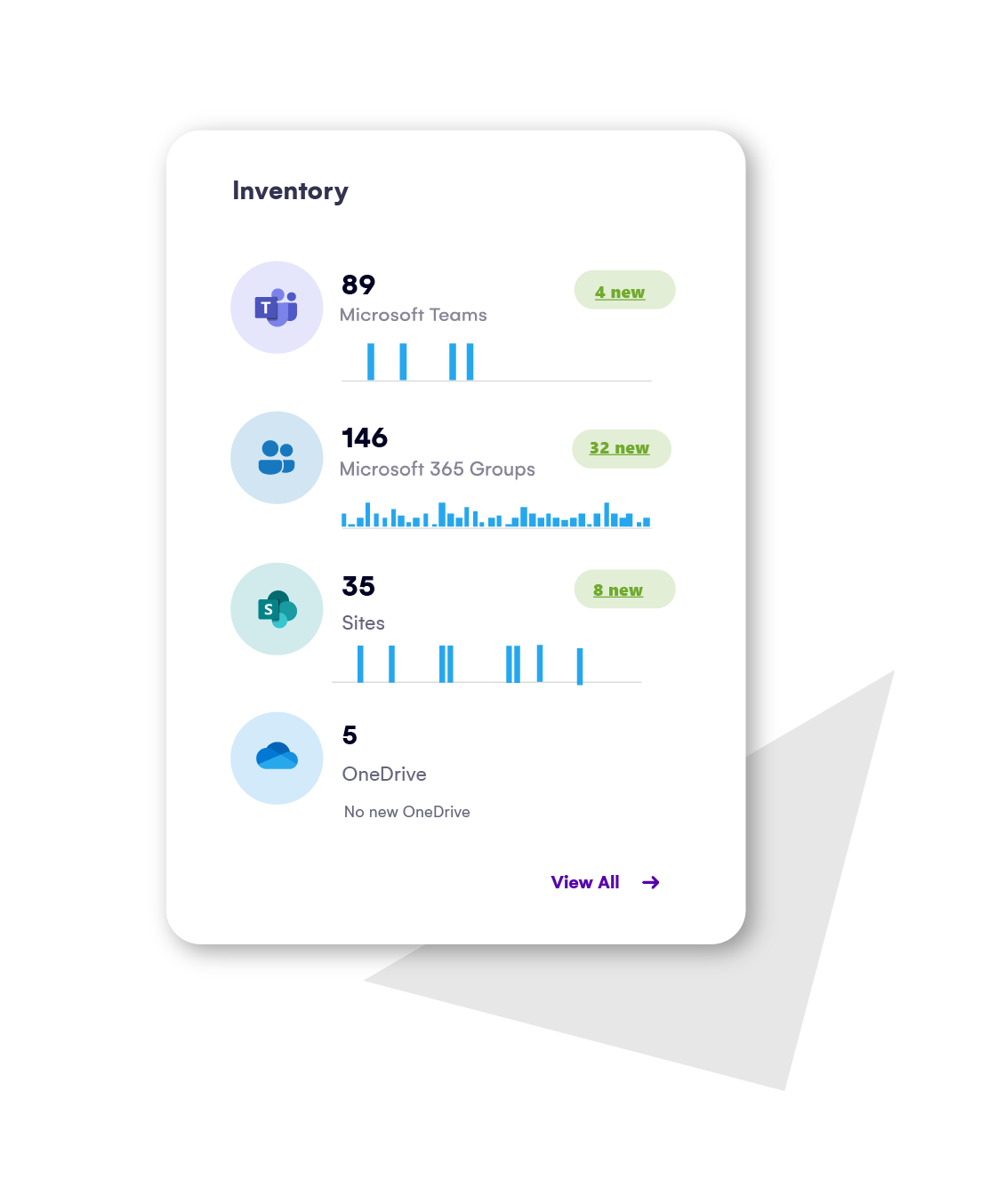
Stop piecing together Microsoft 365 reports manually
Get the visibility and control your IT team needs to keep your tenant secure, compliant, and manageable.
Start your 21-day free trial. No credit card required.
Reduce oversharing risk with a complete view of access across Microsoft Teams (private and shared channels), Groups, SharePoint, and OneDrive accounts. See all sharing, access, and permissions down to the file level, then take action directly in Syskit Point.
Available actions include:
- Remove sharing link
- Remove user access
- Edit user permissions
- Delete unique permissions
See all Syskit Point’s reports.
See where users have access across Microsoft 365 and answer access questions faster. Easily add, copy, transfer, or remove permissions for multiple users at once.
Available actions include:
- Remove user access
- Edit user permissions
- Remove user/group from SharePoint group
- Change admins
See all Syskit Point’s reports.
Find broken inheritance and permission sprawl that increase management overhead and risk across all content and objects (sites, lists, folders, files, etc.), across your entire Microsoft 365 inventory.
Available actions include:
- Restore permissions inheritance (directly from the report)
- Stop sharing for OneDrive
- Delete unique permissions for other workspaces
See all Syskit Point’s reports.
Make smarter renewal and license allocation decisions by seeing and managing all license usage, including inactive, unused, and redundant licenses.
Available reports include:
- License Overview Report
- Licenses Usage by Service Report
- License Distribution
- Licenses Assigned to Inactive Users Report
- Redundant Licenses Report
- Unused Add-on Licenses Report
See all Syskit Point’s reports.
Audit-ready reporting across your M365
Report across your full tenant or selected workspaces. Schedule the reports your teams need, and export clean evidence for audits, access reviews, compliance checks, and leadership updates.
Reduce oversharing risk with a complete view of access across Microsoft Teams (private and shared channels), Groups, SharePoint, and OneDrive accounts. See all sharing, access, and permissions down to the file level, then take action directly in Syskit Point.
Available actions include:
- Remove sharing link
- Remove user access
- Edit user permissions
- Delete unique permissions
See all Syskit Point’s reports.
See where users have access across Microsoft 365 and answer access questions faster. Easily add, copy, transfer, or remove permissions for multiple users at once.
Available actions include:
- Remove user access
- Edit user permissions
- Remove user/group from SharePoint group
- Change admins
See all Syskit Point’s reports.
Find broken inheritance and permission sprawl that increase management overhead and risk across all content and objects (sites, lists, folders, files, etc.), across your entire Microsoft 365 inventory.
Available actions include:
- Restore permissions inheritance (directly from the report)
- Stop sharing for OneDrive
- Delete unique permissions for other workspaces
See all Syskit Point’s reports.
Make smarter renewal and license allocation decisions by seeing and managing all license usage, including inactive, unused, and redundant licenses.
Available reports include:
- License Overview Report
- Licenses Usage by Service Report
- License Distribution
- Licenses Assigned to Inactive Users Report
- Redundant Licenses Report
- Unused Add-on Licenses Report
See all Syskit Point’s reports.
Let's fix your Microsoft 365 reporting gaps
Book a focused 20-minute call with our experts to talk through your reporting challenges and see how Syskit Point can help you reduce manual work, stay in control, and give better answers to management.
Discover how IT teams use Syskit Point reporting to regain control
We use SharePoint heavily as a general document management system. Coripharma started to grow the number of internal and external users rapidly. We knew there needed to be an easier way to manage their access, gain reports, and manage information.
Ulfar Helgason Head of IT at Coripharma
Syskit Point allowed us to manage a 5% buffer of licenses effectively, so we always have the ability to scale up or down in terms of users without unnecessary costs.
Eddie Soto, Messaging Engineer at Lionsgate
Before implementing Syskit Point, we relied on manual processes, spreadsheets, and native M365 tools to manage permissions, governance, and access reviews. These methods were time-consuming and prone to human error.
Elton Kuttschreuter, DevOps Lead Engineer, Lotus cars
Get fast, reliable M365 reporting and take control of access risk today
Stop wasting time across disconnected admin centers. Get the visibility, reporting, and direct action you need to keep Microsoft 365 secure, compliant, and AI-ready.
Start your 21-day free trial. No credit card required.