Save hours of work
SharePoint farm documentation is essential, but you don’t have to waste time creating it. With SPDockit, you can create it in a few quick steps and save hours of manually pasting data from different sources.
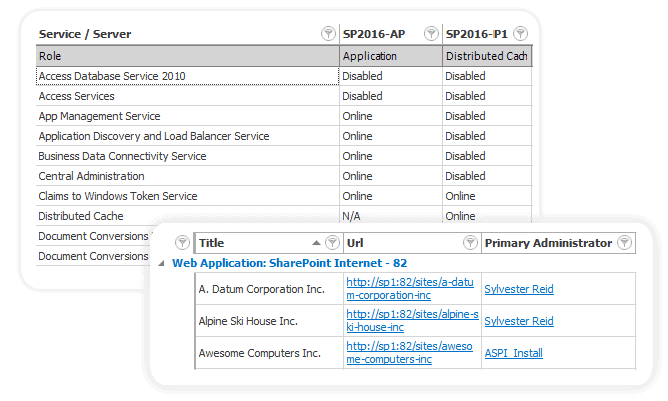
SPDockit completely scans your environment and generates a detailed report of your SharePoint farm configuration settings.
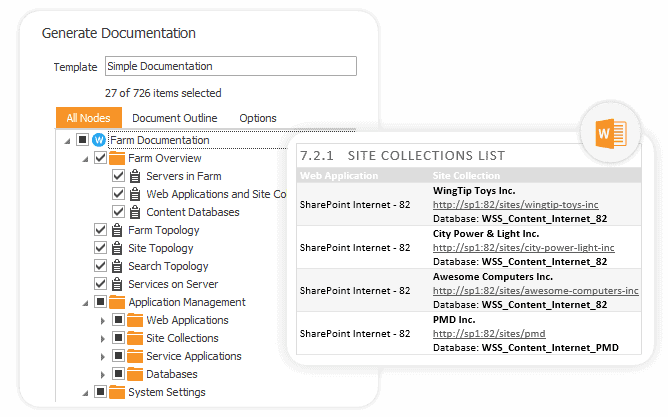
Explore gathered data via Farm and Site Explorer through the SPDockit interface or generate Word, Excel, or PDF farm documentation files.
Everything you need in one consolidated document
- Farm info: farm, site, search topology, and a list of servers and services on the server.
- Application management: web applications, site collections, service application details.
- Info about IIS application pools and site settings, SQL Server configuration, and database permissions.
- Farm administrators and other security information.
- People picker settings, web.config files, workflows, list of features, and solutions.
Get a summarized farm overview
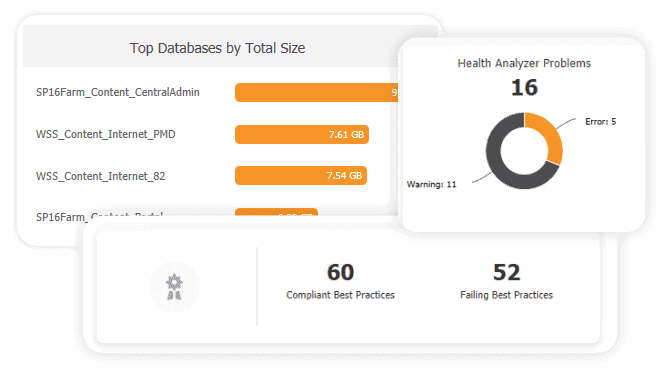
The drillable farm dashboard shows you an overview of your farm configuration and highlights important data through tiles and charts:
- Check the number of servers, web applications, and site collections.
- See top databases and site collections by size.
- Detect health issues related to farm configuration, security, availability, and more.
- See the number of farm solutions, service applications, and farm accounts.
Easily re-create farms
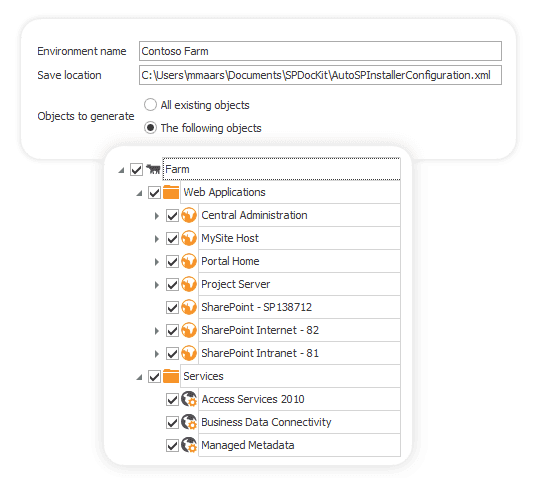
Use SPDockit to generate an XML configuration file that you can use with AutoSPInstaller to create a new SharePoint farm with the same or similar configuration settings to your current farm environment.
Save the time needed to create development and testing environments that are identical to production using this configuration file.