
Menu Close

Compare your SharePoint farms

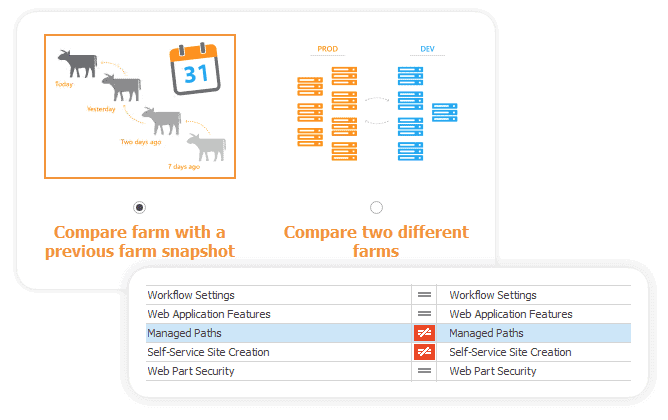
SPDockit helps you ensure optimal performance by tracking changes over time on a specific SharePoint farm.

Compare multiple SharePoint farms, regardless of their purpose – DEV / Production / QA / staging farms with multiple servers.

Find the differences and tune their performance even if they don’t belong to the same domain/location.
 

SPDOCKIT

Take configuration snapshots and ensure future performance

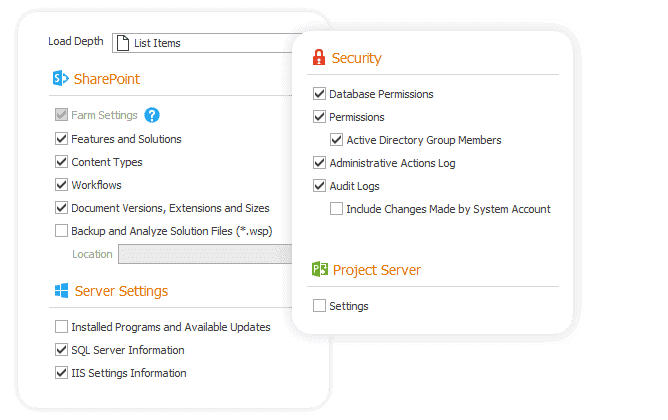
SPDockit crawls your environment and takes a snapshot of your farm configuration.

Here’s how it can help you optimize future performance:

  • Track changes that occurred on your farm by comparing two snapshots from different points in time.

  • Choose between manual snapshots (taken anytime) or automatic ones (run periodically).

  • Mark snapshots with correct configuration settings and use them as a baseline for future reference.
SPDOCKIT

Leverage additional comparison capabilities

Ensure that everything runs smoothly by monitoring all differences across your environment. 

Web apps & Site collections

Compare two web applications or site collections. Oversee changes over time on a single site or web app.

SharePoint permissions

Compare permissions between sites, lists, and list items. Track principals and what has changed.

Servers in farms

Compare settings between two servers, SQL servers or IIS servers, and verify if they are configured in the same way.

Web. config files

Make sure that the web. config files on all of your front-end servers are the same as on a specific web application.

Easily export and filter results


Generate reports in Excel or PDF, share them with your colleagues, and examine them closely with detailed filtering. 

 Explore:


The SPDockit advantage

Plans
SPDockit
Microsoft
Customizable scope
N/A
Multiple file types available for export
N/A
Farm settings data 
N/A
Automated snapshots 
N/A
Cleanup reports and wizards 
N/A
Scheduled delivery
N/A
One-click export
N/A

Compare farms, track changes, tune performance

Keep an eye on all the changes in your SharePoint environment and optimize for the future.