
Microsoft 365 Workspace Lifecycle Management: Inactive Workspaces 2024.6
Syskit Point provides a complete solution for managing and governing the lifecycle of Microsoft 365 workspaces, from their creation to disposal. You can use Syskit Point for provisioning and as a continuous monitoring and governance solution that uses policies to enforce correct workspace setup and sharing settings, provide real-time alerts, remove obvious oversharing, and identify inactive workspaces.
Management of old and redundant workspaces is crucial in order to control sprawl and storage consumption as well as to avoid sharing irrelevant information. If you decide to roll out Copilot and you don’t manage inactive workspaces properly, it can have access to old data and can present that information as fact, misleading end users. This is why we decided to upgrade the current Lifecycle Management feature with a new and improved set of functionalities – Inactive Workspaces. With Syskit Point, you can set up a policy to regularly detect and decide what to do with inactive workspaces with ease.
Inactive workspaces will work in the context of our existing governance policies and Security & Compliance dashboard and will provide you with a more unified user experience as well as more flexibility in policy application across your environment.
Governance policy: set up how you detect and manage inactive workspaces (keep, archive, or delete) after a defined period of time. You can decide if you want to automatically send tasks to owners and which actions you want to enable for them. If they don’t complete their task on time, you can also set up an automated action (e.g., do nothing or automatically archive).
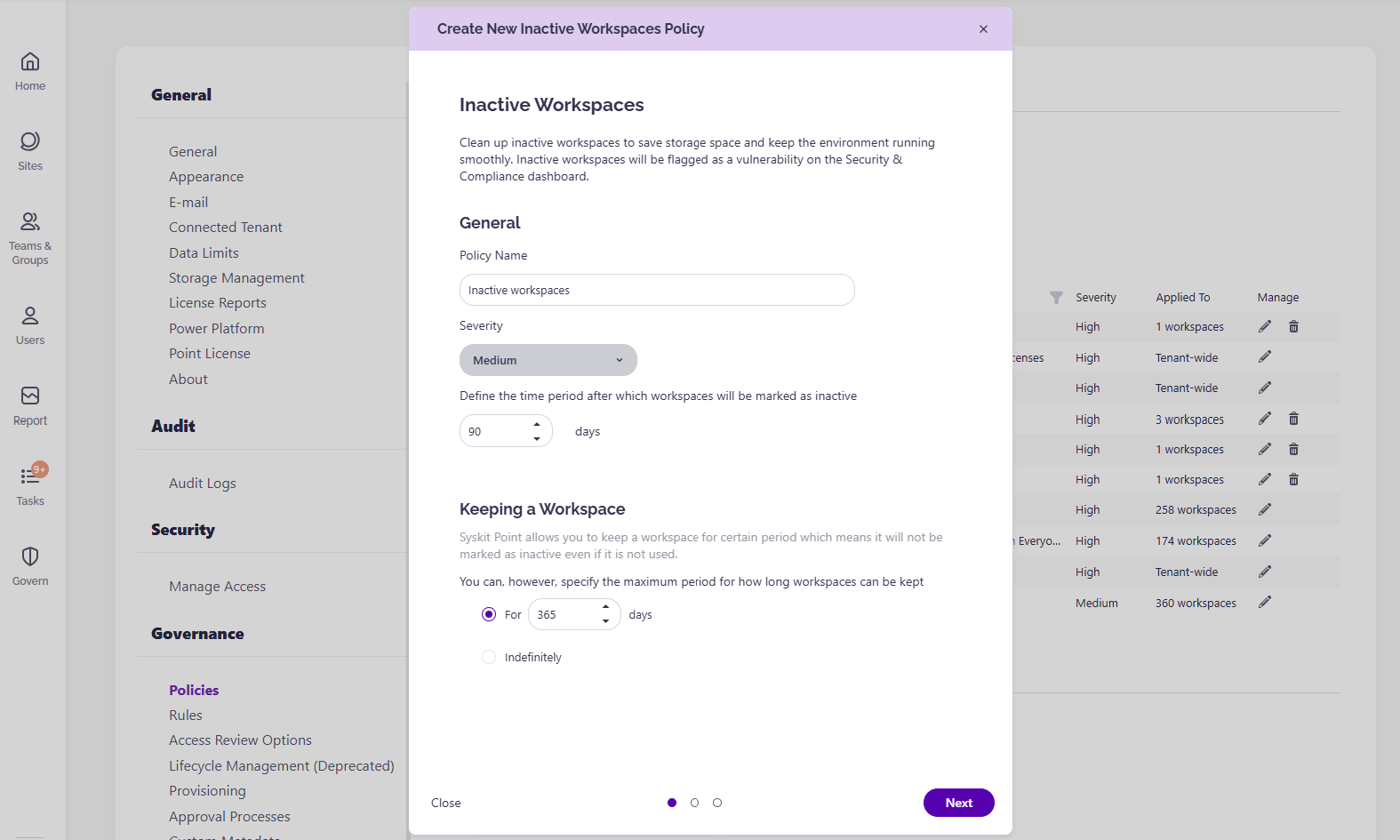
How it works:
- Open the Sites or Teams & Groups overview and choose workspaces which you need to collect information for.
- Use the menu on the side panel and click on the Manage Sensitivity or Manage Privacy (only for Teams & Groups) drop-down and choose Ask Owners.
- Owners will receive an email and a task to complete in Point.
- Once they are done, admins can review their inputs.
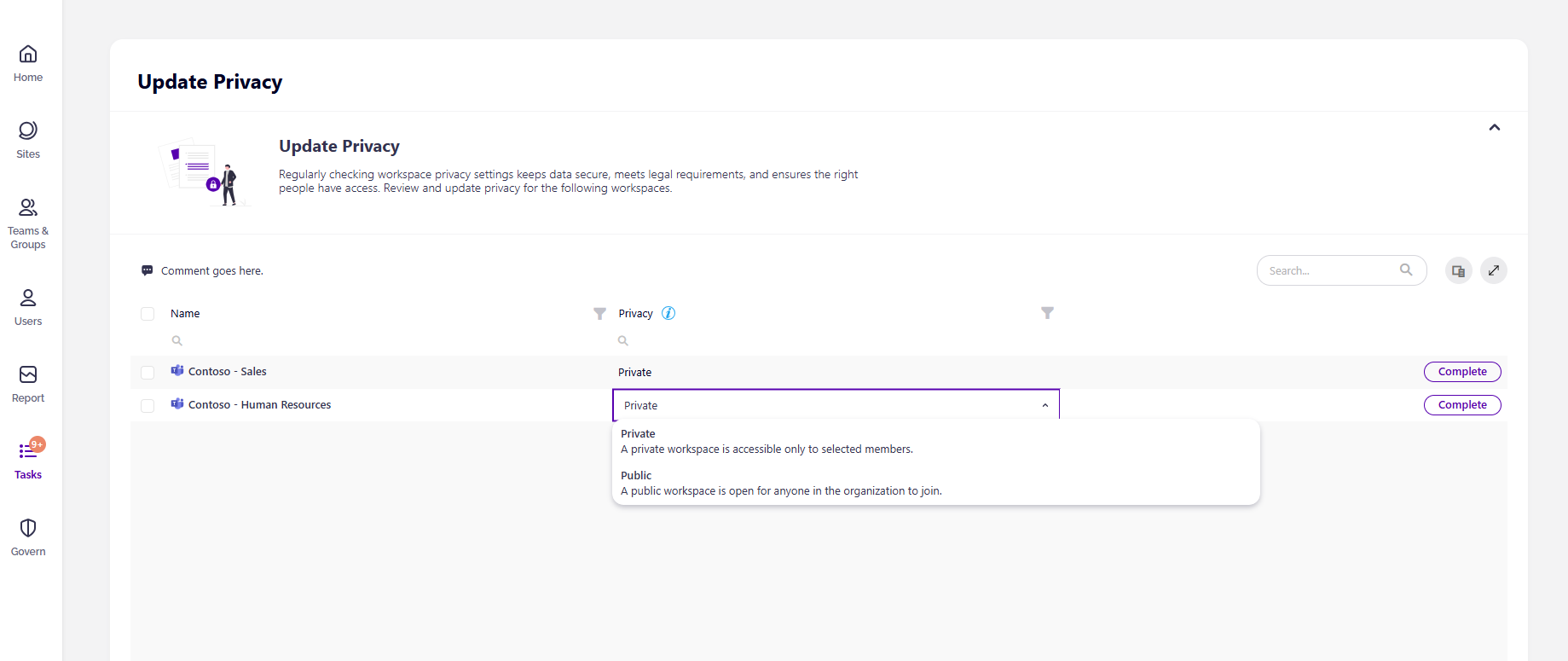
Just a quick reminder, a few weeks ago we launched a similar capability, but for metadata. You can create your custom metadata fields and collect information associated with workspaces, whether they are project-based, expected end dates, and much more, by asking owners directly. Use all this information to properly enforce policies, secure your data, and stay compliant.
Sensitivity Labels Inventory Reports 2024.6
Sensitivity labels in Microsoft 365 are important for classifying, protecting, and managing sensitive data across an organization. They help prevent data breaches and support regulatory compliance by controlling data flow and restricting unauthorized access, as well as increasing user awareness of data handling best practices. They can be a baseline for setting up automation and enforcing governance policies to maintain a strong security posture while enabling Copilot in your organization.
The Sensitivity Labels Inventory report offers comprehensive visibility into all labels within your Microsoft 365 environment which is essential for understanding how data is classified and protected across the organization. This report then drills down to where a specific sensitivity label has been applied, down to the file level across the entire tenant, e.g. choose the “Confidential” label and find all workspaces and files where it is applied.
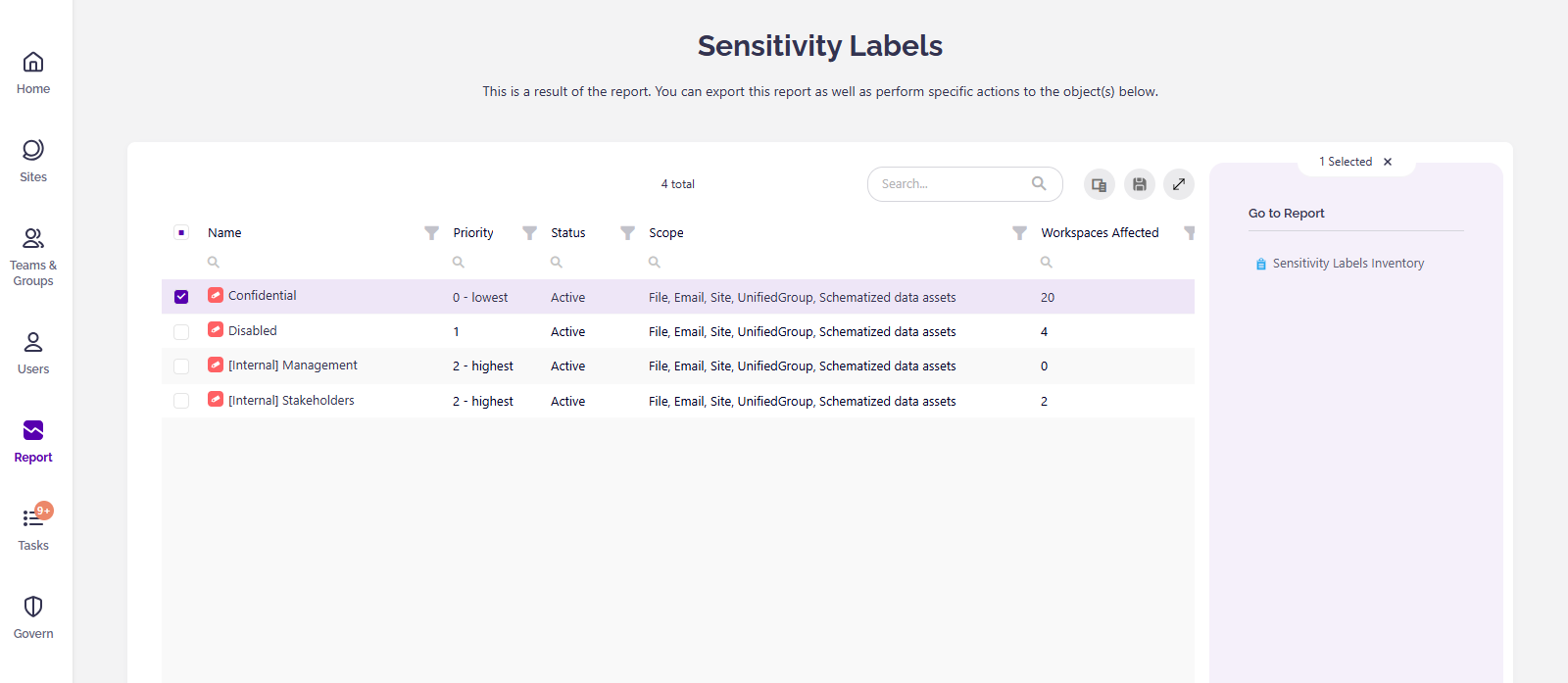
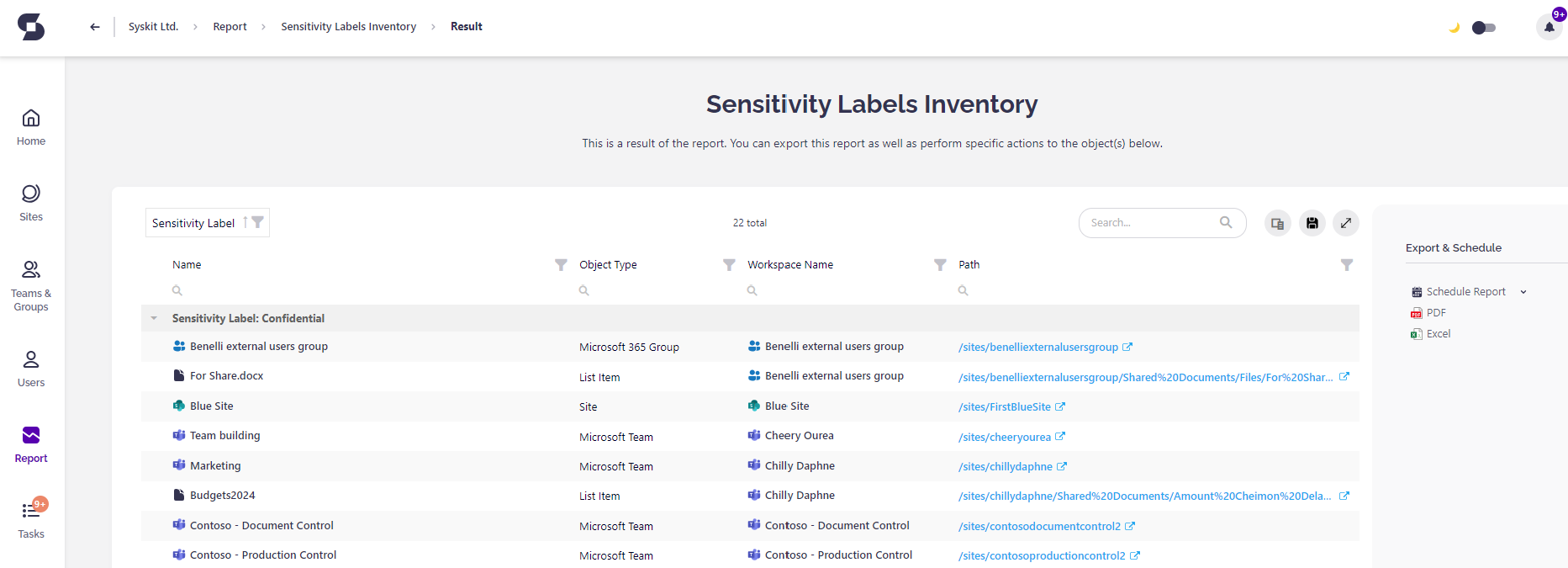
Identify potential security gaps, ensure consistent application of data protection policies, and support regulatory compliance efforts.